Real-time flight information matters when a delayed arrival affects a collection, a family member is travelling, or a holiday connection is at risk. Flightradar24 brings this information together through a live flight map, aircraft details and airport departure and arrival data.
As a practical flight tracker, Flightradar24 helps travellers check aircraft movements, airport activity and potential holiday connections. This guide explains how to use it when planning UK holidays, checking airport activity or comparing flight options online.
It also examines how the flight tracking system works and where its data has limits, alongside AI-generated images showing the live map, an airport departures view and destination planning scenes, all sized to match the text on desktop and mobile.
The guide begins with the main features and practical ways to use Flightradar24.
Key Takeaways
- Flightradar24 combines live aircraft tracking with flight numbers, routes, aircraft details, and airport departure and arrival information.
- UK travellers can check delays, monitor connections, and understand airport activity before leaving home.
- Official airline and airport channels remain the authority for flight status, gates, and cancellations. Tracking aircraft doesn’t replace these updates, travel insurance, or official advice.
- A flight price comparison website helps compare routes, departure airports, dates, and fares, making online booking easier and more transparent.
- Checking flights alongside destinations, attractions, and restaurants helps create realistic plans for short breaks or one- to two-week holidays.
What is Flightradar24 and what can it show?
Flightradar24 is an online flight-tracking service that displays aircraft movements and information on an interactive map. It provides real-time flight information, including a service identifier, route, aircraft type, altitude, speed, departure airport, arrival airport and estimated times.
For UK travellers, Flightradar24 offers a useful picture of activity around airports such as Heathrow, Gatwick, Manchester, Birmingham and Edinburgh. The service can show whether an aircraft has left the airport, how far it has travelled and when it may reach its destination. However, the map should be treated as a live information tool rather than a perfect operational record.
How the live flight map gets its information
Most information comes from Automatic Dependent Surveillance-Broadcast (ADS-B) signals. Each transponder sends details such as position, altitude, speed and identification. A ground-based ADS-B receiver collects these signals and forwards them to Flightradar24, where the data appears on the map. The identification code broadcast by a transponder is often called a squawk.
Other sources can fill gaps. These may include multilateration, satellite data, radar data and scheduled flight information. Multilateration estimates an aircraft’s position by comparing how long its signal takes to reach several receiving stations. Satellite coverage can help track aircraft over oceans or areas with fewer ground stations.
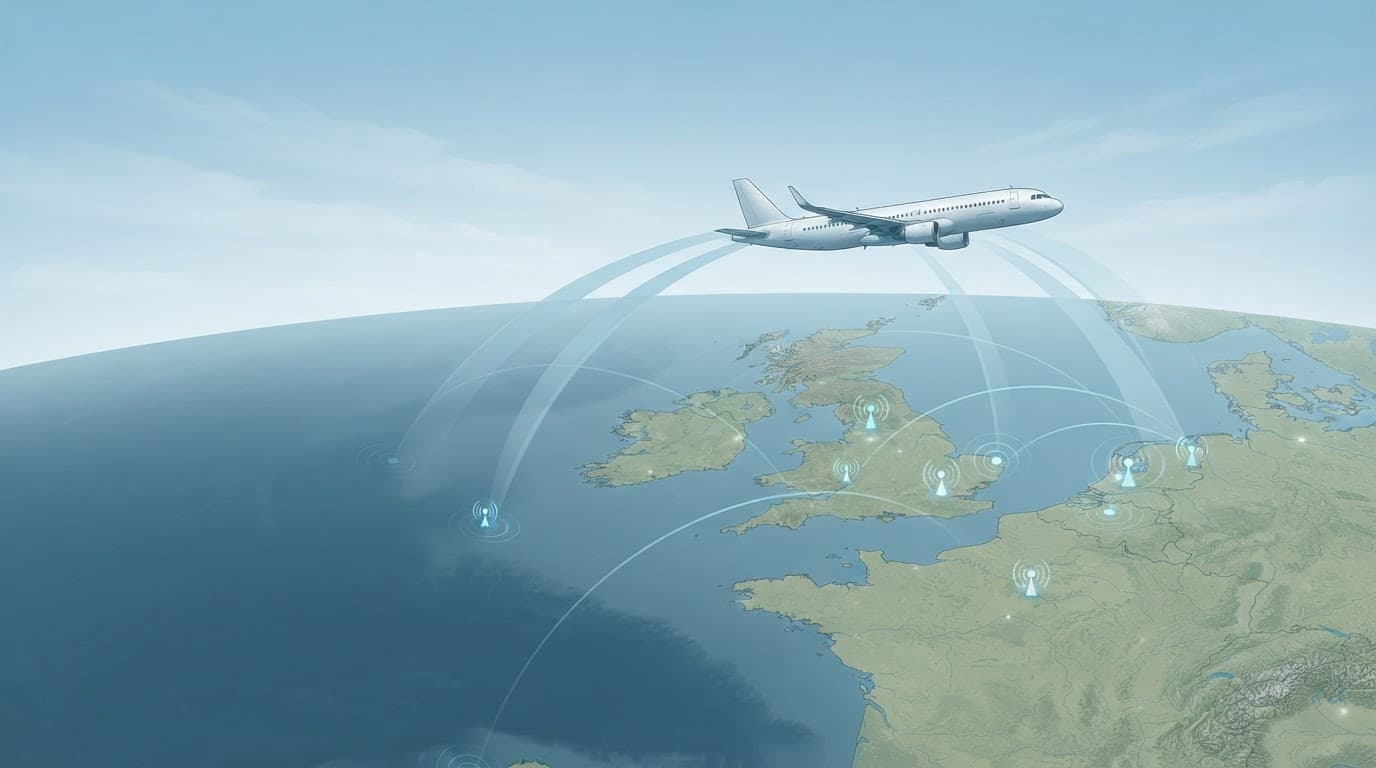
AI-generated illustration of aircraft signals and receiving stations used in flight tracking.
The result is detailed, but it isn’t the same as the radar screens used by air-traffic controllers. Coverage depends on the aircraft’s equipment, its height, local geography and available receiving stations. Unlike multilateration, direct ADS-B coverage can weaken when an aircraft moves outside the range of a nearby ADS-B receiver. Signals may also arrive late, stop temporarily or appear with limited information.
Some aircraft don’t appear in the same way as scheduled commercial services. Military and government aircraft may restrict or conceal their details for security reasons. Private aircraft owners can also request limited visibility, whilst smaller aircraft may use a different or restricted transponder. Helicopters, training aircraft and gliders can therefore appear inconsistently, particularly during lower-level flying.
Advanced tracking features may also depend on the user’s Flightradar24 plan. The map remains useful without every premium function, but historical data, extra aircraft details and specialist tools may be restricted.
The difference between tracking a flight and checking its status
Flight tracking answers one question: where is the aircraft? Passenger information answers another: what does the traveller need to do?
A moving aircraft icon can confirm that a plane is airborne and provide an estimated arrival time. It may also help relatives judge when to leave for a collection. However, it doesn’t confirm whether check-in has opened, which gate the airline will use, whether boarding has started or where baggage will appear.
Those details come from the airline and the relevant airport. Their systems handle operational changes that a tracking map may not show immediately, including cancellations, gate changes, missed connections, security instructions and baggage collection information. An aircraft can appear on the map whilst passenger arrangements have changed.
For that reason, Flightradar24 works best alongside official updates. It adds context to a journey, but the airline and airport remain the reliable sources for decisions about travelling to the airport.
How to use Flightradar24 on a phone or computer
Flightradar24 works through a website and mobile app, with the same basic process on a phone, tablet or computer. As a flight tracker, it lets users search by airline, airport, route or flight number. These tools support practical flight tracking, while map controls help narrow a busy area without losing track of the relevant aircraft.
A typical search might involve a flight leaving Manchester for Alicante. Entering the flight number is usually the quickest option, but the service remains useful when those booking details are missing. Airport pages can also show scheduled arrivals and departures, estimated times and aircraft currently nearby.
Finding a flight when the flight number is unknown
When the flight number isn’t available, searching around the departure or arrival airport is often the most practical approach. The airport can be entered into the search field, selected from the map, or opened through its airport icon. This normally provides separate arrival and departure boards, although available information can vary by airport and account type.
The map can then be zoomed into the airport area. Selecting an aircraft opens an information panel with details such as its reported position, altitude, speed, route and estimated times. On a computer, a mouse or trackpad makes it easier to move around the map. On a phone, pinch-to-zoom and dragging provide the same controls on a smaller screen.
A visual search works best when combined with several clues:
- The likely departure airport narrows the aircraft shown on the map.
- The direction of travel can indicate whether a plane is heading towards Spain, Greece or another destination.
- The estimated departure time helps separate one service from another.
- The aircraft type or airline may provide an additional point of comparison.
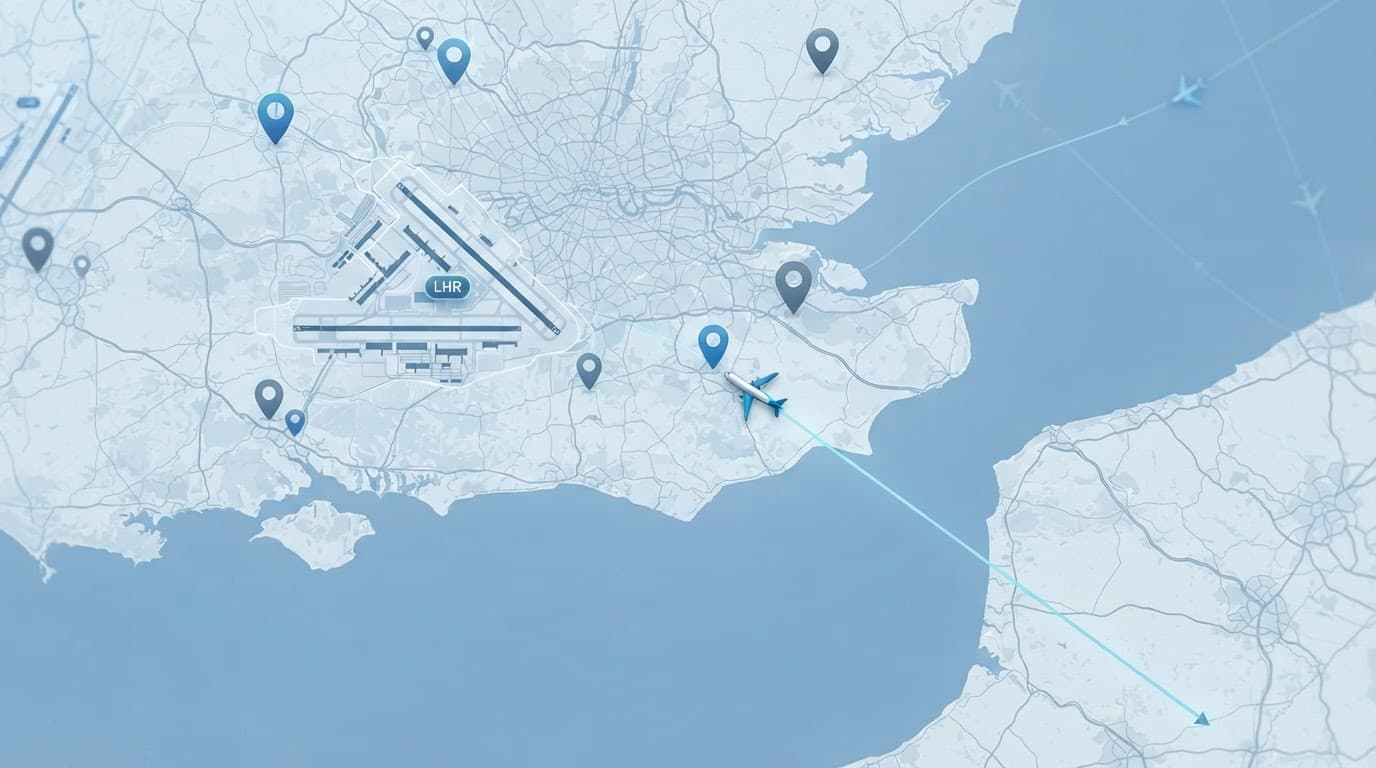
AI-generated illustration of an aircraft being located near a UK airport on a flight-tracking map.
However, a map match isn’t proof of identity. Routes, aircraft assignments and timings can change, while position data may arrive late or appear with limited detail. Two similar aircraft may also display different information because of their transponder data. Several flights may leave the same airport within a short period, so the airline, airport or booking confirmation remains the proper source for confirming a passenger’s service.
Using alerts, playback and airport views responsibly
Airport-focused views help place individual flights within the wider operation. They can show aircraft arriving, departing or circling near an airport, which is useful when assessing congestion or watching a delayed service. Departure and arrival boards provide a more structured view, particularly when the map contains many aircraft.
Notifications can draw attention to changes such as departure, arrival or status updates when the relevant feature is available. They provide awareness, but shouldn’t replace messages from the airline or airport. Official notifications contain the information passengers need to confirm flight status, check-in, gates, cancellations, baggage and rebooking.
Historical playback provides a different perspective. It allows users to review a previous journey, examine when an aircraft left an airport or understand how a delay developed. The Flightradar24 app or map can also help explain why a flight appeared to take a longer route. However, flight history remains a data visualisation rather than an official investigation report.
Feature access can depend on the account, subscription and device version. The map, airport pages and basic flight information may be available more widely than advanced history, alerts or aircraft data. Access to historical data can also vary between account types. As a result, Flightradar24 is most reliable when used as a reference tool alongside official travel updates and booking information.
Using Flightradar24 to plan a smoother UK holiday
Flightradar24 cannot choose a destination or book a holiday, but it provides useful real-time flight information for planning. Live aircraft positions and estimated arrival times help travellers see whether a route is operating as expected.
The wider plan still depends on practical research. Transport, opening times, weather, restaurants, regional food and local conditions matter just as much as the flight itself.
From live flight information to a realistic destination plan
Flight tracking can be the starting point for building a more workable itinerary. A visitor following a flight from Manchester to Barcelona, for example, might plan a city break around the Sagrada Familia, Park Guell, the Gothic Quarter and the city’s museums. Checking the estimated arrival time also helps determine whether there is enough time for an evening meal, or whether the first night should remain free.
A coastal trip needs the same level of thought. After tracking a flight to Faro, travellers might look beyond the Algarve’s beaches and consider nearby villages, coastal walks, local markets and restaurants serving grilled fish or cataplana. Weather forecasts and seasonal opening times are important, particularly when a planned boat trip or beach day depends on calm conditions.
For longer stays, Flightradar24 helps confirm the broad travel pattern, but it cannot build the route alone. A one- to two-week holiday in Italy could combine Rome’s historic centre and the Colosseum with Florence’s galleries, then continue towards the Tuscan countryside. A longer visit to Greece might link Athens, a mainland beach area and one island, provided ferry schedules and transfer times fit the available days.
The same approach works for UK holidays. A flight or rail connection to a regional airport might lead to a Devon coastal break with visits to Exeter Cathedral, local fishing villages and beaches around the South Hams. In Cornwall, a stay could include the Eden Project, St Ives and sections of the South West Coast Path. Yorkshire offers historic centres such as York, museums, market towns and day trips into the Dales.

AI-generated image showing flight tracking alongside wider holiday planning.
A flight price comparison website adds a separate benefit. It can place routes, departure airports, airlines, baggage rules and total costs side by side. That makes it easier to compare flying from Birmingham with Manchester, or to assess whether a cheaper fare remains good value after luggage and transfer costs.
Why flight tracking helps with airport transfers and travel connections
Estimated arrival information can reduce unnecessary waiting for relatives, friends and transfer operators. Someone collecting a traveller from Heathrow, Gatwick or Edinburgh can monitor whether the aircraft has departed and adjust the journey towards the airport accordingly.
The same information helps with onward travel. A passenger may compare the expected landing time with a train, coach, car hire collection or ferry connection. However, an estimated arrival is not a guarantee of the terminal exit time. Baggage collection, border checks, airport walking times and queues can add considerable delays after the aircraft reaches its stand.
Extra caution is needed when separate tickets are involved. An unexpected diversion could invalidate an onward train or ferry plan, whilst a car hire desk may have limited collection hours. A sensible plan includes a buffer after landing, with more time allowed for unfamiliar airports, checked luggage and international arrivals.
Airline and airport updates remain the authority for cancellations, gates, baggage and rebooking. Flightradar24 is most useful as an additional source, helping travellers make informed timing decisions without treating the aircraft’s position as a promise.
What Flightradar24 cannot tell travellers with certainty
Flightradar24, a flight tracker, provides a useful view of aircraft movement, but its map isn’t a complete record of a passenger’s journey. Data can arrive late, disappear during signal gaps or show an estimated position rather than a confirmed one. Aircraft swaps, diversions and schedule changes can also make the information look more certain than it is.
An aircraft icon near an airport doesn’t mean passengers can leave immediately. The plane may still be taxiing, waiting for a stand, unloading baggage or passing through border control. The service also can’t confirm a gate, security queue, baggage belt, check-in deadline or rebooking arrangement. Those details belong to the airline, airport, travel operator and relevant government travel advice.
Privacy, safety and respectful use of flight data
Publicly visible flight information should be handled with restraint. A tracker may reveal an aircraft’s route, position and estimated movement, but that doesn’t justify trying to identify, follow or contact private individuals connected with the flight. Some private aircraft visibility may also be limited for privacy purposes. Sharing screenshots or links that expose personal travel details can create unnecessary risks, especially when the information concerns children, vulnerable people or private aircraft users.
Account security matters as well. Strong, unique passwords and multi-factor authentication can reduce the risk of unauthorised access, where those controls are available. Shared tracking links should be sent only to people who need them, and users should avoid posting personal booking references, names or travel plans alongside a flight link.
A flight-tracking map shows movement in the air, not the full circumstances surrounding a journey.
Flightradar24 should never be treated as an emergency service or as a substitute for verified incident information. If there’s an urgent concern about an aircraft, passenger or airport incident, contact the relevant authority, airport or airline. In the UK, serious aviation matters may involve organisations such as the Civil Aviation Authority, whilst immediate danger requires the emergency services or 999. The app can provide background context, but it can’t coordinate rescue, verify casualties or issue official safety instructions.
Free access, paid features and choosing the right level of use
The basic Flightradar24 experience is often sufficient for occasional holiday use. A traveller checking whether a flight has departed, monitoring an arrival before arranging a collection or viewing activity around a UK airport may not need advanced tools.
Paid plans can offer a richer experience, although available features and limits may change. A paid subscription may include longer or more detailed flight history, access to historical data, additional aircraft and flight information, expanded filters, alerts and specialist tracking tools. These features are more relevant to aviation enthusiasts, frequent travellers, photographers and people who regularly monitor particular aircraft or routes.
A simple comparison helps clarify the choice:
| Type of use | Basic access may be enough | Premium tools may add value |
|---|---|---|
| Occasional holiday tracking | Checking departure and arrival progress | Less important |
| Meeting a passenger | Monitoring an estimated arrival | Alerts may improve convenience |
| Aviation interest | General map browsing | History, filters and aircraft details |
| Regular route monitoring | Occasional status checks | Notifications and deeper records |
The free service can answer broad questions, but it can’t guarantee operational accuracy. A paid plan adds information and convenience, not authority. Airline messages, airport systems and official aviation updates remain the proper sources when a decision affects check-in, connections, cancellations or safety.
Frequently Asked Questions
Flightradar24 is useful for understanding aircraft movements, but its information needs careful interpretation. The following answers explain what the service can show, where its limits lie and how it supports holiday planning.
Is Flightradar24 accurate?
Flightradar24 is often accurate enough for situational awareness. It can show whether an aircraft has departed, its approximate position, speed and estimated arrival time. This helps when monitoring a delayed service or deciding when to travel towards an airport for a collection.
However, the map can contain delays, signal gaps and estimated positions. Information may change when an aircraft alters its route, circles before landing or waits for a stand. The displayed arrival time may describe the aircraft reaching the airport, rather than passengers leaving the terminal with their luggage.
Flightradar24 shows aircraft movement, but airline and airport systems determine what passengers need to do.
For decisions about check-in, boarding, gates, cancellations, connections or rebooking, official airline and airport updates should take priority. Their systems confirm the operational flight status. The tracking service adds context, rather than replacing passenger information.
Can Flightradar24 track every aeroplane?
No. Some aircraft may not appear, whilst others may show only limited details. Coverage depends partly on receiving stations, including each ADS-B receiver, and the strength of the aircraft’s signal. Mountains, distance, low altitude and gaps over the sea can also interrupt tracking.
The aircraft itself matters too. Different transponders provide different information, and some smaller aircraft transmit less data than commercial passenger jets. Military, government and certain private aircraft may have reduced visibility because of privacy or security restrictions. Satellite data can improve coverage over oceans and remote areas, but it doesn’t guarantee complete visibility.
As a result, a missing icon doesn’t prove that an aircraft is grounded, cancelled or absent from a route. It may simply be outside receiver range or transmitting information that Flightradar24 cannot display fully.
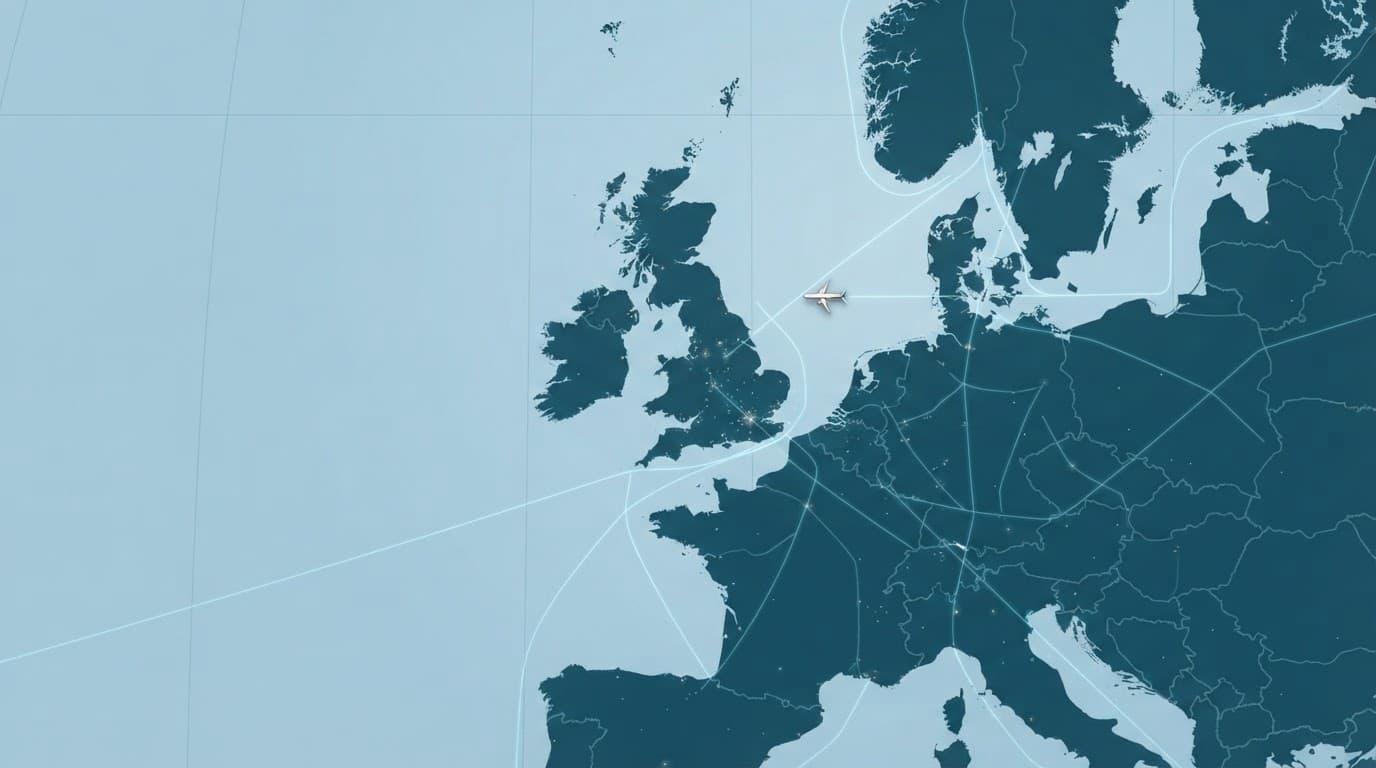
AI-generated illustration of flight-tracking coverage across the UK and Europe.
Can Flightradar24 show whether a flight is delayed or cancelled?
Movement data can suggest that a flight is delayed. For example, the aircraft may remain at the departure airport beyond its scheduled time, arrive later than planned or divert to another airport. These signs help explain what may be happening in the air.
They don’t confirm the passenger status. A cancellation can occur before an aircraft appears on the map, while a service may operate with a different aircraft or identifier. Flightradar24 also cannot confirm boarding, check-in deadlines, gate assignments, baggage belts or rebooking arrangements.
The airline and airport should confirm every decision that affects the journey. Their websites, apps, emails and airport information screens provide the relevant operational instructions.
Can someone track a flight without the flight number?
Yes. Searches can begin with an airport, route, airline or map area. Opening an airport view may reveal recent departures and arrivals, whilst moving around the map can show aircraft near a likely departure point.
Several aircraft may look similar, particularly around busy airports such as Heathrow, Gatwick or Manchester. A reliable match requires comparison with the journey’s airline, route, scheduled time, aircraft type and likely direction of travel. Booking details and official airport information should confirm the result.
Does Flightradar24 help travellers find cheaper flights?
Flightradar24 tracks aircraft and flight activity. It isn’t a fare comparison tool and doesn’t compare ticket prices, baggage charges or fare conditions.
A flight price comparison website is better suited to assessing different dates, routes, departure airports and airlines before booking. This can reveal whether flying from Birmingham, Manchester or London changes the total cost, particularly after luggage, transfers and seat fees are included.
Flightradar24 may show which routes operate, but price comparison tools support the financial decision.
Can Flightradar24 be used for international and UK flights?
Flightradar24 covers many domestic and international routes, including services linking UK airports with Europe and long-haul destinations. Visibility still depends on the aircraft, location, signal coverage and the data available for that journey.
Flights over busy parts of Europe may provide detailed movement information, whilst low-level regional services or aircraft over remote areas can appear less consistently. Aviation enthusiasts may also use the map to review a flight history, although records aren’t guaranteed to be complete.
The service may show which routes operate, but travellers should check current coverage and use official airline or airport sources for important updates. That distinction matters during a holiday, when a small data delay can affect a train connection, car hire collection or onward flight.
Conclusion
Flightradar24 is a useful tool for following aircraft movement, monitoring airport activity and estimating when a passenger may arrive. It can also support transfer planning and add context to online holiday research. A flight price comparison website helps assess routes, departure airports, fares and extra costs before booking.
Its information remains a guide rather than an official instruction. Airline, airport and travel updates confirm check-in, gates, cancellations and connections. Live map information makes journeys easier to understand, but accurate planning depends on checking the full set of official details.
Discover more Buyers Guides and Reviews
For a list of our main buyers guides use the drop-down menu at the top of the page. Topics related to this article are:
Skiing Holidays Booking Guides
–
Explore Our Blog Categories for Expert Buying Advic
- AI Powered Product Finder Tools (25)
- Expert Buying Guides & Shopping Tips for UK Shoppers (1,461)
- Brands & Designer Products (Men, Women & Electronics) (293)
- Designer Fashion Brands: Buyer’s Guides & Reviews (166)
- Electronic Brands: Buyers Guides & Reviews (92)
- Apple Products Buyer’s Guides & Reviews (25)
- Brands – Phones, Laptops, PC”s, Tablets | Buyer’s Guides & Reviews (44)
- Electronics – Tablet & iPad Reviews and Buyers Guides (10)
- Kitchen Appliance Brands: Buyer’s Guides & Reviews (24)
- Laptop Brands & MacBooks Buyer’s Guides & Reviews (9)
- Phone Brands & iPhones Buyer’s Guides & Reviews (23)
- Car Buying & Financing Made Easy | Expert Guides for the UK (89)
- Clothing, Fashion & Accessories Buying Guides UK (510)
- Beauty, Health & Wellness | Perfume, Skincare, Makeup & Wellbeing Guides (187)
- Footwear: Trainers & Shoes Buyers Guides (49)
- Jewellery: Expert Reviews, Trends & Buying Guides (74)
- Men's Clothes — Buyers Guides & Reviews (39)
- Men’s Clothes, Fashion & Accessories Guides UK | Latest Trends & Smart Shopping (172)
- Women's Clothing Buyers Guides — Dresses, Tops & More (202)
- Women’s Clothes, Fashion & Accessories Guides UK | Latest Trends & Smart Shopping (449)
- Electronics, Tech & Gadgets: Reviews, Deals & Buying Guides UK (183)
- Furniture Buyer’s Guides | Home & Garden & Styling Tips (329)
- Bedroom Furniture Guides UK | Expert Tips & Best Value Deals (93)
- Garden Furniture, Landscaping & Garden Rooms Guides UK | Expert Tips & Best Value Deals (170)
- Garden Sofa & Sofa Sets Buyers Guides (11)
- Garden Tables & Chairs: Sets, Individual Tables & Seating Buyers Guides (57)
- Home Furniture, Décor & Interior Design Guides UK | Styling Tips & Inspiration (170)
- Living Room Furniture, Design & Décor Guides UK | Styling Tips & Inspiration (57)
- Sofa & Sofa Beds Buyers Guides (19)
- Sofa Beds Buyers Guides (7)
- Sofa Buyers Guides & Expert Advice (11)
- Holidays & Travel: Hotels, Villas & Flights (162)
- Home & Garden Improvements | Renovations & Outdoor Transformation Guides (106)
- Insurance & Protection: Travel, Landlord, Gadget & More UK (159)
- Gadget Insurance UK | Expert Guides, Reviews & Smart Protection Tips (33)
- Home Emergency Cover UK | Expert Guides, Reviews & Practical Protection Tips (21)
- Landlords Insurance UK | Expert Guides, Reviews & Smart Protection Tips (31)
- Travel Insurance UK | Expert Guides, Reviews & Money-Saving Tips (34)
- Pets: Guides, Tips & Inspiration (28)
- Brands & Designer Products (Men, Women & Electronics) (293)
- Gifts for Everyone: Ideas for Every Occasion & Budget (51)