The Meta Quest 3 is a standalone headset and virtual reality headset for gaming, apps and immersive entertainment without a gaming PC. It can also connect to a computer for access to a wider PC VR library, while its mixed reality features bring digital content into your surroundings.
This review examines image quality, performance, comfort, software and everyday use for UK buyers. It also considers Qualcomm’s processor platform, Android as the software foundation, battery life and how the headset compares with the older Quest 2. Prices, bundles, accessories and warranty terms are included when assessing the real cost of ownership.
Three AI-generated images will appear throughout the article, each clearly labelled and sized to match the surrounding text. The assessment begins with the hardware features that have the greatest effect on daily use.
Key Takeaways
- The Meta Quest 3 offers clear visuals and strong standalone performance, making it a convincing choice for everyday VR gaming.
- Its slimmer design improves comfort, but the standard facial interface and short battery life limit longer sessions.
- A broad game library, simple setup and useful mixed reality features make it a versatile headset for new and experienced users.
- It is the most capable mainstream option in Meta’s range, while the Meta Quest 3S provides a cheaper entry point. Quest 2 owners have a stronger reason to upgrade.
- Comparing prices online can uncover better deals and bundles, but factor in accessories, storage and replacement cover before buying.
Meta Quest 3 review: what the headset is and who it suits
As a virtual reality headset, Meta Quest 3 is a standalone headset running Meta Horizon OS. Its Android-based software foundation supports games and apps without a gaming PC. A USB-C connection or wireless link also enables PC VR. Inside-out tracking maps movement through the headset’s cameras, so external tracking stations aren’t needed.
Virtual reality replaces the surrounding room with a digital environment. Mixed reality keeps the physical room visible and places virtual objects within it. That distinction makes Quest 3 useful beyond gaming, including home fitness, immersive films, creative work and shared family activities. The interface should also feel familiar to many Android users.
The hardware features that stand out most
The pancake lenses are the biggest everyday improvement over Quest 2’s Fresnel optics. They keep more of the image sharp across the lens, so text and game details remain clearer when the eyes move. The slimmer front profile also brings the centre of gravity closer to the face, reducing the bulky feel of earlier Quest models.
The colour cameras give mixed reality a more practical foundation. Users can see furniture, phones and other people without removing the headset. A depth sensor and automatic room scanning help place virtual content around the home. Passthrough still looks softer and noisier than normal vision, particularly in dim rooms.
Fine text can be difficult to read, and fast movement may produce distortion. The lenses are not perfect either. Bright scenes can create glare, the field of view remains narrower than natural vision, and the clearest area still depends on correct eye placement. The facial interface has several depth settings, which help with glasses, different face shapes and users who prefer more distance from the lenses.
The Qualcomm processor improves CPU and GPU performance over Quest 2. Its Qualcomm XR2 Gen 2 architecture supports more detailed games, faster loading and richer mixed-reality scenes. Qualcomm’s efficiency gains still can’t overcome every software or thermal limitation during demanding sessions.
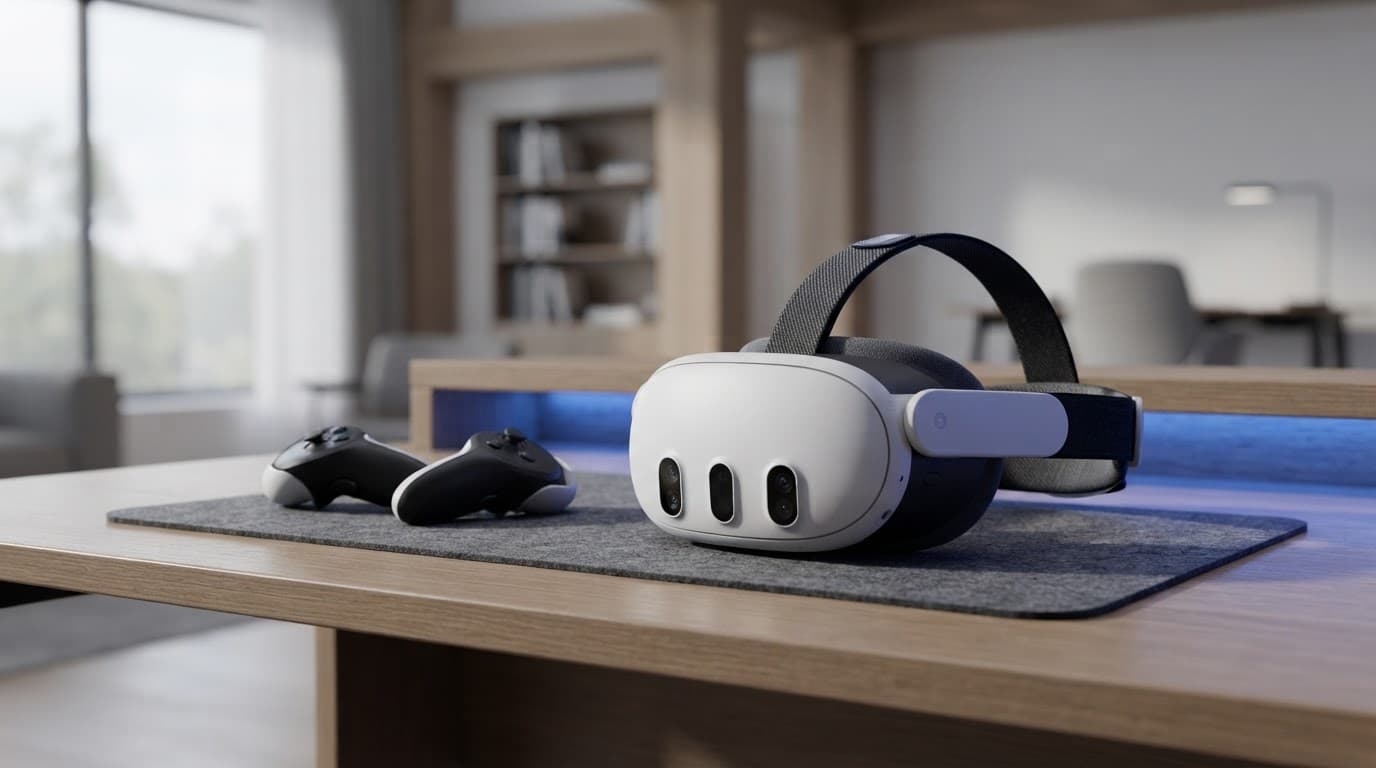
AI-generated image showing the headset design and mixed-reality camera layout.
| Specification | Meta Quest 3 |
|---|---|
| Display resolution | 2064 x 2208 pixels per eye |
| LCD panels | 90Hz and 120Hz capable |
| Refresh rate | 72Hz, 80Hz, 90Hz, 120Hz |
| Field of view | About 110° horizontal, 96° vertical |
| RAM | 8GB |
| Storage capacity | 128 GB or 512 GB |
| Weight | About 515g |
| Battery estimate | Around 2 to 3 hours |
| Connectivity | Wi-Fi 6E, Bluetooth 5.2, USB-C |
| Operating system | Meta Horizon OS |
Charge duration varies with game demands, screen brightness and camera use. Touch Plus controllers provide accurate input without the large tracking rings found on older controllers. Hand tracking works well for menus and simple interactions, while built-in spatial audio adds direction to games and films.
What people like about Meta as a brand
Meta made standalone VR easier to understand because Quest headsets work without a separate computer, base stations or specialist setup. The platform has a large software library, frequent system updates and support for hand tracking, which lowers the barrier for newcomers.
Reality Labs’ investment in immersive hardware has widened the headset’s appeal. Families can use it for casual games, fitness users can access active titles, and console or PC gamers can add wireless PC VR. Mixed reality also supports immersive work and entertainment, although comfort and charging limits restrict long sessions.
The trade-off is control. A Meta account is required, and privacy concerns remain around cameras, usage data and the company’s software policies. Quest is also a closed platform, so owners depend on Meta for system support, store access and compatibility decisions. That ecosystem helps explain the product’s popularity, but it also makes the brand’s future choices part of the buying decision.
How the Meta Quest 3 performs in games, apps and mixed reality
The Meta Quest 3’s appeal rests on its flexibility. It runs demanding games independently, supports everyday apps and adds room-aware features without requiring a gaming PC. Its Snapdragon XR2 Gen 2 platform delivers a clear step up for a mainstream headset, although software optimisation still shapes each experience.
Mixed reality is more useful than a novelty, but still developing
The colour cameras help Quest 3 understand furniture, walls and floor space. During setup, the headset can scan a room and create boundaries for mixed reality. Digital objects can remain anchored as someone moves around. The result is more convincing than the grainy monochrome passthrough on older Quest models.
Practical mixed reality uses are growing. Fitness apps can place workout targets around a room, while games can turn a living room into part of the play area. Active titles such as Gorilla Tag also benefit from responsive tracking and room awareness.

AI-generated image showing Quest 3 being used for mixed reality in a bright living room.
A floating browser window can sit above a desk during work, and a cinema screen can appear in front of the sofa. However, passthrough remains a camera feed rather than normal eyesight. Fine text can be difficult to read, moving objects may show distortion and image quality falls in dim lighting.
The cameras also raise privacy questions. Room scanning and hand tracking involve sensors observing the user’s surroundings. Meta’s platform controls and data policies matter as much as the hardware. The other limitation is the size of the mixed reality library. Many titles still use conventional VR design, with room-aware features added around the edges.
The best ways to use Quest 3 without a gaming PC
Standalone use is the simplest part of the experience. Meta Horizon OS is built on Android, with apps and games available through the headset or companion mobile app. The built-in Guardian system helps mark a safe play area before movement begins. Hand tracking works well for menus, while the Touch Plus controllers provide accurate input for games needing buttons or faster movements.
Native games load faster and generally look sharper than equivalent software on Quest 2. The Qualcomm Snapdragon XR2 Gen 2 platform gives demanding titles such as Asgard’s Wrath 2 more graphical ambition. Its available RAM also helps current games maintain detail while supporting menus, social features and light multitasking.
The difference is not uniform across every title. Compared with Quest 2, Asgard’s Wrath 2 can offer richer textures and shorter loading, but results depend on the developer. Qualcomm’s thermal limits can affect sustained performance in demanding scenes. Qualcomm optimisation also varies between games, so frame rates and visual quality are not guaranteed.
Casual games, fitness apps, films, social spaces and immersive video run without a computer. The Android platform supports familiar app concepts, while the Android companion app makes downloads and device settings easier to manage. Compatibility still varies, particularly for software designed around older Android hardware.
PC VR adds power, but changes the value calculation
A compatible gaming PC opens access to a wider PC VR library and can provide richer lighting, textures and environments than a standalone headset. Wireless streaming through Air Link or Steam Link avoids a cable, but performance depends on the network, router placement and computer hardware.
USB-C Link offers a more consistent wired connection, although the cable must support data as well as charging. Lag, compression or dropped frames can result from weak graphics hardware, network congestion, poor Wi-Fi coverage or an unsuitable cable. The Android-based companion setup can help manage the connection, but Quest 3 adds PC VR value only when the existing computer meets the requirements. Check those requirements before treating the wider library as part of the purchase.
Comfort, battery life and everyday ownership
The Meta Quest 3’s specifications reveal less than a typical evening of ownership. Its standard fabric strap is light and easy to adjust, but offers limited support during active games. Weight balance also varies with head shape, hairstyle and facial structure, so a headset that feels comfortable during a short demonstration may become tiring after an hour.
The built-in battery life usually reaches around two to three hours. Demanding games, high brightness and mixed-reality features can reduce that figure. Regular charging becomes part of ownership, while the Touch Plus controllers use replaceable AA batteries. Storage needs planning too, since larger games can quickly consume the available space.
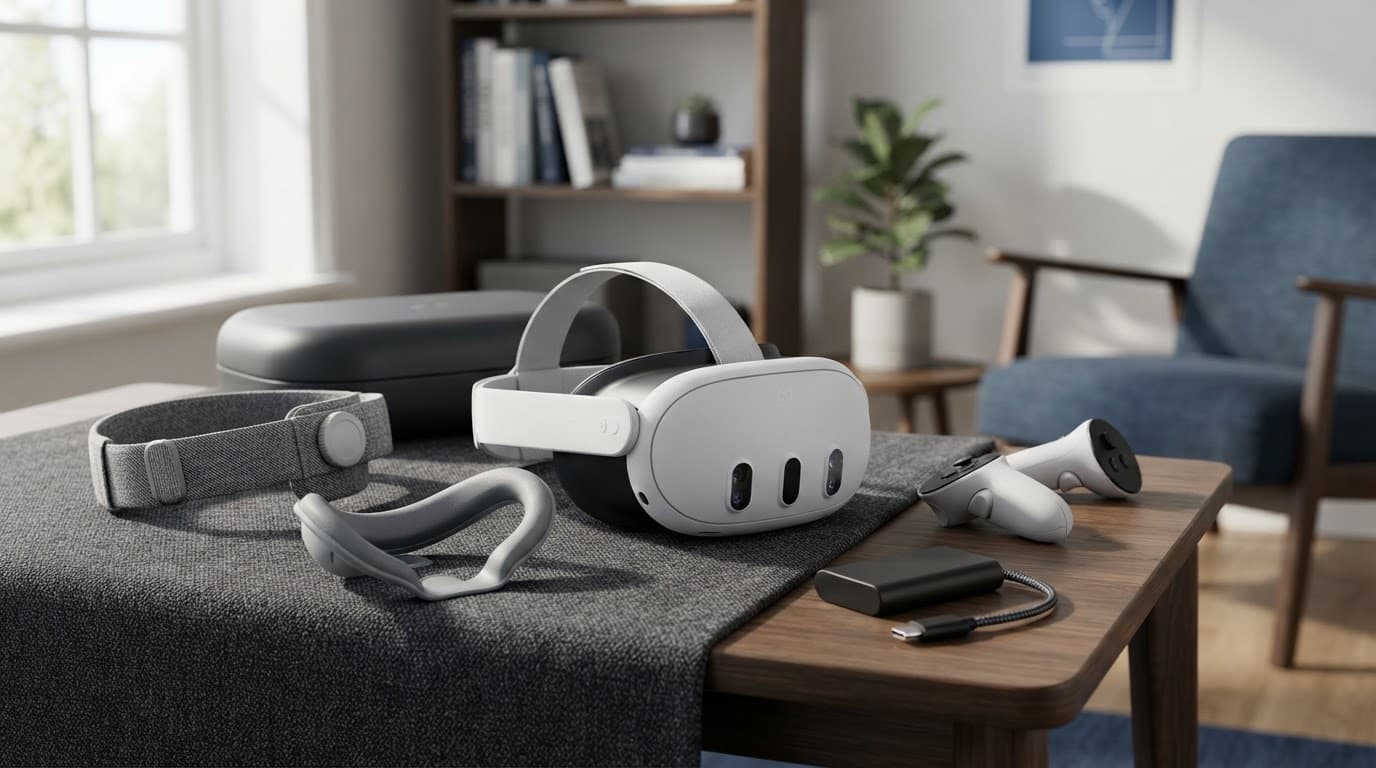
AI-generated image showing the headset, controllers and practical Quest 3 accessories.
The accessories worth considering, and the ones to question
A better head strap is the most useful upgrade for many owners. Meta’s Elite Strap, or a well-made third-party equivalent, spreads pressure more evenly and keeps the headset stable during movement. Some third-party straps also suit Quest 2 owners, although compatibility should be checked carefully. Battery versions add extra play time, but increase weight and cost.
Prescription lens inserts are worthwhile for glasses wearers. They avoid pressing spectacles against the headset and reduce the risk of scratched lenses. A replacement facial interface can improve hygiene, especially when several people share the headset. Silicone or wipe-clean materials are easier to clean than the standard fabric.
A carrying case protects the lenses and cameras during travel. Some cases are also designed for Quest 2, which can help owners comparing accessories across generations. Controller grips help active players retain control, but add little for users who mainly play seated games.
Charging docks look tidy and can make daily charging easier, yet they are optional. The same applies to separate battery packs, which suit long flights, fitness sessions or extended PC VR play, but add bulk. Buyers comparing prices online should include the strap, case, lens inserts and battery equipment in the final budget. A modest headset discount can disappear once essential comfort upgrades are added.
For most owners, a supportive strap and suitable lens solution are the strongest upgrades. The rest depend on how, where and how often the headset is used. Check fit and compatibility before buying accessories intended for a Quest 2.
Privacy, children and account requirements
The headset requires a Meta account, the Horizon mobile app on Android or iOS, and permissions for room scanning, hand tracking, cameras and microphones. These permissions help it recognise boundaries and surroundings, but also give the platform access to sensitive information about the room and its occupants.
Meta provides family supervision tools, parental controls and app-rating information. The headset shouldn’t be treated as suitable for unsupervised young children simply because games appear harmless. Households should check age guidance, review app permissions and supervise first use, particularly where voice chat, social spaces or room access are involved.
A clear play area remains essential. Mixed reality and passthrough views don’t remove the risk from furniture, pets or other people. Motion sickness can worsen with smooth movement or visually intense games. Short sessions, regular breaks and stopping at the first sign of nausea can reduce discomfort. The lenses should also remain away from direct sunlight, which can damage the display panels within seconds.
Meta Quest 3 versus Quest 3S and other VR headsets
Meta’s headset range is easier to understand when the comparison starts with daily use rather than specifications. Meta Quest 3S runs the same Meta Horizon OS platform as Quest 3, while Quest 2 owners will notice clearer optics and stronger mixed-reality hardware. Premium alternatives improve particular areas, although they often cost more and demand a more complicated setup.
Storage also affects the value comparison. Quest 3 is available with 512 GB, while the entry-level 128 GB option keeps the cheaper models more accessible. Bundles and storage choices can change the final price.
Is the sharper display worth paying more for?
Quest 2 and Quest 3S use Fresnel lenses, while Quest 3 uses pancake lenses. The difference is most obvious when reading small menus, viewing browser windows or looking towards the edge of the image. With Quest 3, a larger area remains sharp as the eyes move, so the head does not need to turn as often to find the clearest point.
For Quest 2 owners, this is one of the clearest everyday upgrades. Virtual screens remain easier to read, and subtitles, instrument panels and text-heavy interfaces cause less visual strain. Compared with Quest 2, Quest 3 also improves display resolution, although the lenses create the more noticeable improvement.
That benefit matters during productivity, simulation games and long sessions. The higher refresh rate can also make movement feel smoother, depending on the app and selected settings. Anyone expecting to use several virtual monitors or read regularly inside the headset is more likely to notice the long-term value.
Quest 3S remains sufficient for casual users who mainly play active games, watch films or use VR for short sessions. Its Fresnel lenses still provide a usable central image, and its lower price makes standalone VR more accessible. It also shares more software and hardware features with Quest 3 than its price suggests.
The two models share colour passthrough and room-mapping features, but Quest 3 has a depth sensor. Quest 3S uses software and its cameras to estimate room depth, which can still create boundaries and support mixed reality apps. Quest 2 owners may find Quest 3 more reliable, with less manual adjustment during room setup.
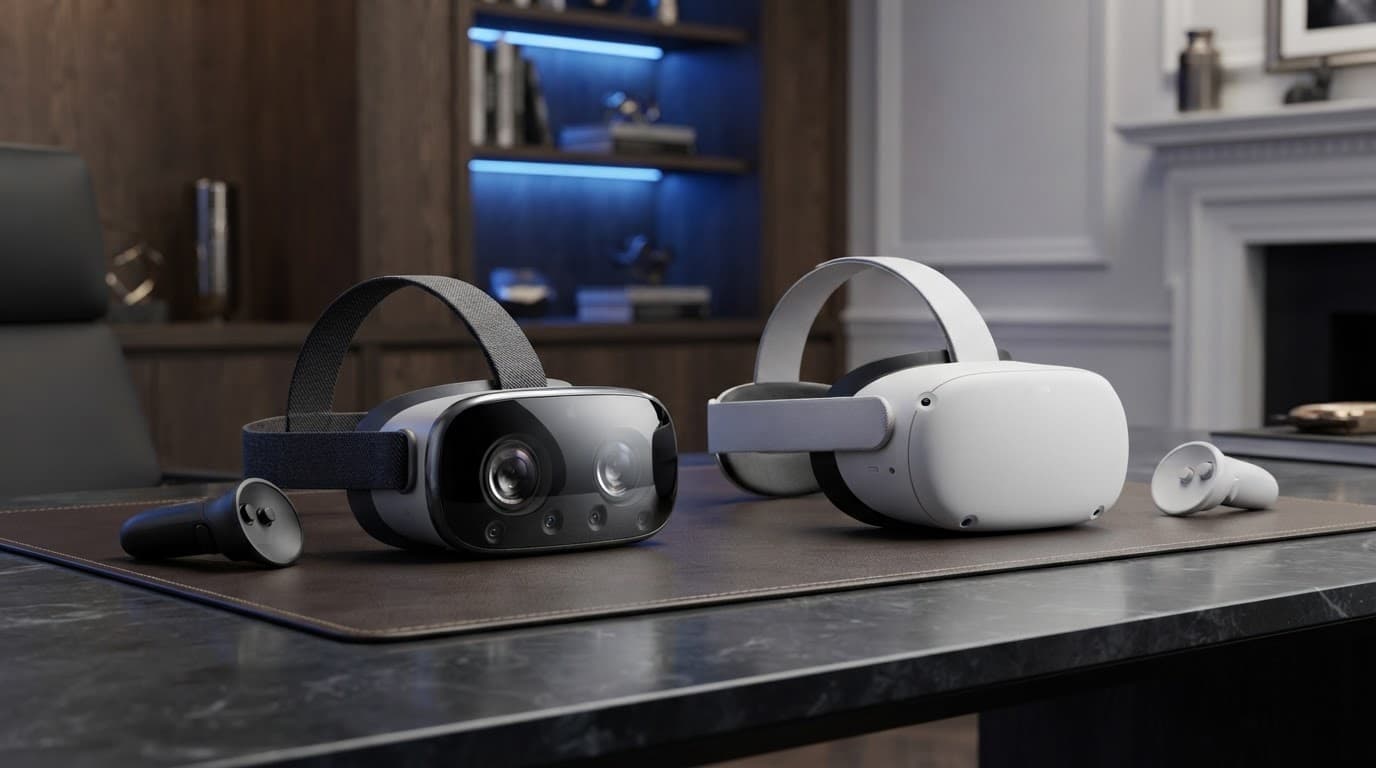
AI-generated image showing the compact designs and camera layouts of modern standalone VR headsets.
How Quest 3 compares with PC and premium mixed-reality options
Quest 3’s main advantage over PC-tethered headsets is convenience. It needs no base stations or display cable, starts quickly and can move between rooms. Wireless PC VR remains possible through Air Link or Steam Link, provided the computer and home network can handle the connection.
Quest 2 uses an older Qualcomm platform, while Quest 3 and Quest 3S use a newer Qualcomm processor. That extra performance supports demanding software such as Asgard’s Wrath 2, improved textures and more capable mixed-reality effects. The difference is less important in simple games.
A gaming PC can produce richer textures, lighting and physics, particularly in demanding simulations. It also adds access to PC VR software that may not appear on Meta’s standalone store. Both Quest 2 and Quest 3 use an Android-based software foundation, while Android app support can vary between standalone and PC platforms.
The cost is higher, since the computer, router and accessories become part of the system. Wireless streaming can also introduce compression or lag. Quest 2 retains broad backward compatibility with much of the existing library, although newer titles may require Quest 3 hardware.
Premium mixed-reality headsets offer stronger displays, wider views, eye tracking, improved sensors or more refined materials. Some also provide better weight distribution and sharper passthrough. Their higher prices, smaller software libraries or dependence on a particular ecosystem make them less straightforward purchases for general users.
| Headset type | Main gain | Main compromise |
|---|---|---|
| Meta Quest 3S | Lowest entry price | Fresnel lenses, lower clarity |
| Quest 3 | Pancake optics, higher refresh rate and strong standalone performance | Higher purchase price |
| PC VR headset | Maximum graphics potential | Needs a capable gaming PC |
| Premium mixed reality | Better displays and sensors | Much higher cost, smaller ecosystems |
For Quest 2 owners, Quest 3 is the more convincing upgrade when sharper text, faster performance and better room understanding matter. Casual players may prefer to keep their existing headset, particularly if their current games still run well. The upgrade is less compelling when the main priority is occasional fitness or social play.
Prices and bundles change regularly, so any UK comparison should carry a clear date, such as checked February 2026. A discounted headset may also include a game or strap, while another offer may include the headset alone. Online buying gives shoppers a wider selection and makes price history, storage options and bundle contents easier to compare, but the headline price should never replace the total ownership cost.
Price, storage and the real cost of buying Meta Quest 3 online
The price shown online is only the first part of the calculation. Storage, accessories, games, subscriptions, lens inserts and warranty cover can change the final cost by several hundred pounds, particularly in a shared household.
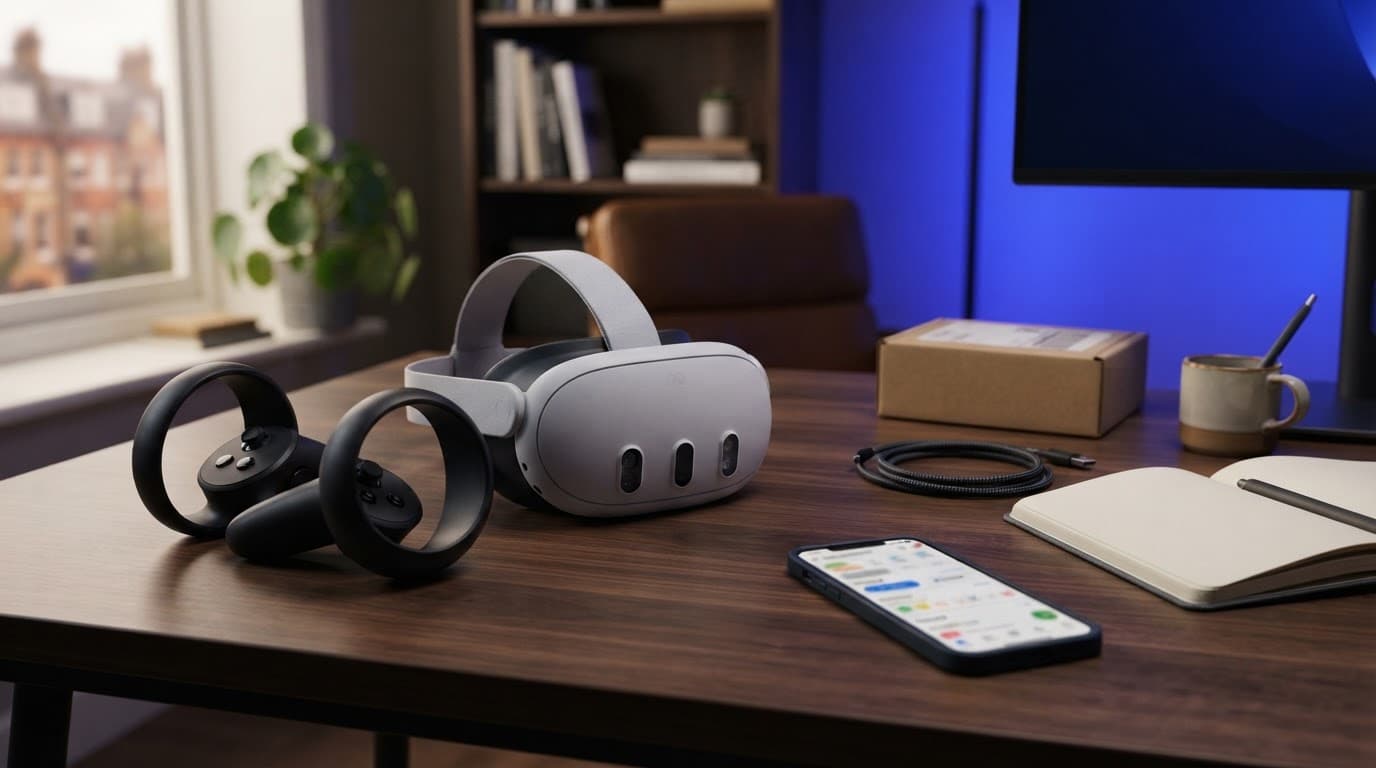
AI-generated image showing the headset and accessories involved in an online buying decision.
Which storage size makes sense?
Modern standalone VR games are much larger than many early Quest titles. High-resolution textures, updates and downloadable content can consume several gigabytes, while fitness apps and films fill a drive quickly. The storage capacity cannot normally be expanded with a memory card, so the original choice matters.
The 128 GB model launched at £479.99 in the UK, while the 512 GB version launched at £619.99. The 128 GB option is now less common, so listings may show old stock, used units or refurbished examples. Older Quest 2 stock can also appear in searches, despite being a different headset. The 512 GB model costs more, but suits larger libraries and shared households.
A single user who plays a few carefully chosen games may find 128 GB adequate if the saving is substantial. However, frequent downloading and deleting becomes part of ownership. Buyers replacing a Quest 2 should compare the upgrade cost with the features they actually want. The Meta Quest 3S is a cheaper current alternative for shoppers focused on entry-level pricing.
The useful comparison is the price per usable year, not simply the difference between two launch prices.
Software adds to the budget. Paid games, fitness subscriptions, prescription lenses, a supportive strap, a carrying case and a battery pack may matter more than a modest storage upgrade. Check Quest 2 accessory compatibility before reusing older equipment. A capable gaming PC can also support PC VR, although an unsuitable graphics card, router or USB-C cable may create another expense.
How to judge deals without being misled
Online buying gives UK shoppers broader stock, clearer specification comparisons, price history, bundle visibility, refurbished choices and customer feedback. Those advantages only help when listings are read closely. An apparently cheap listing may be an older Quest 2, while a short-lived game bundle may disappear before delivery. Check whether replacing a Quest 2 is worthwhile before focusing only on the discount.
Every comparison should check the complete package:
- The exact model, storage capacity and condition should be confirmed before payment.
- Missing controllers, facial interfaces, charging equipment or included games can make a cheap listing poor value.
- Check whether the package is new, open-box, used or refurbished, and confirm compatibility with older Quest 2 accessories.
- Refurbished grading should explain testing, cosmetic condition, expected battery life and warranty.
- Mixed reality features depend on working cameras and sensors, so damage or missing components should be disclosed.
- Unusually low prices may indicate an import, used goods or an older Quest 2 with weak warranty support.
- Delivery charges, import duties and possible VAT should be included in the final figure.
Second-hand buyers should also check app, account and software compatibility on Android devices. Seller feedback matters, but it isn’t a substitute for payment protection or clear UK returns terms. The warranty wording should identify who provides cover, where repairs take place and whether replacement parts are available. A safe purchase confirms the seller’s identity, delivery conditions, return window and item condition.
A household’s total storage capacity should be considered alongside the wider ownership cost. Games, subscriptions and replacement accessories can outweigh a small price difference between storage tiers.
Price-history checks reveal whether a discount is genuine. Independent news reporting, technical reviews and encyclopaedic reference material can verify model details without relying on retailer descriptions. That process often shows that the lowest headline price is not the cheapest complete system.
The strengths and weaknesses that decide the final verdict
For UK buyers in 2026, Meta Quest 3 remains Meta’s strongest all-round option. This virtual reality headset combines clear optics, capable Qualcomm hardware and a mature software library. Qualcomm’s current XR platform handles demanding standalone games well. Asgard’s Wrath 2 also shows what that Qualcomm performance can deliver. However, the headline price excludes accessories that many owners eventually want. Buyers must also accept Meta’s account and privacy policies.
| Strengths | Weaknesses |
|---|---|
| Pancake lenses keep more of the image clear, especially for text and virtual screens. | Runtime usually lasts around two to three hours, depending on use. |
| Current-generation hardware provides strong standalone gaming performance. | The standard fabric strap offers only average support during longer sessions. |
| Colour camera views make mixed reality games and room-aware apps more useful. | Better straps and prescription inserts increase the overall cost. |
| Quest supports a broad library of standalone and PC VR software. | Cameras, microphones and room scanning raise reasonable privacy concerns. |
| Wireless operation avoids base stations and keeps setup relatively simple. | A Meta account is required, and the platform remains closed. |
The must-have Meta products and the accessories worth trying
Quest 3 is the product to buy when image clarity matters. Compared with Quest 2, its pancake lenses make menus, subtitles, simulations and virtual monitors easier to use. Its newer processor generation also delivers a clear performance step over Quest 2 for demanding games and applications.
Meta Horizon OS builds on Android foundations and supports a wide range of games and creative apps. Android app support adds flexibility, although some experiences are designed specifically for VR. Existing Quest 2 owners benefit from backward compatibility, though not every title or accessory behaves identically. Android familiarity also makes the platform approachable, despite Meta’s account and store controls.
The strongest accessory upgrades depend on how the headset is used. Many Quest 2 accessories remain useful, but newer fit and charging options can make them less relevant. An Elite-style strap can improve balance and reduce pressure during longer play, whilst prescription lens inserts help glasses wearers. A battery strap or separate battery pack suits fitness users and frequent travellers, although added capacity increases weight.
A replacement facial interface can improve hygiene in shared households. Charging docks and premium carrying cases are convenience purchases. They make storage and charging tidier, but neither is essential to the Quest 3 experience.
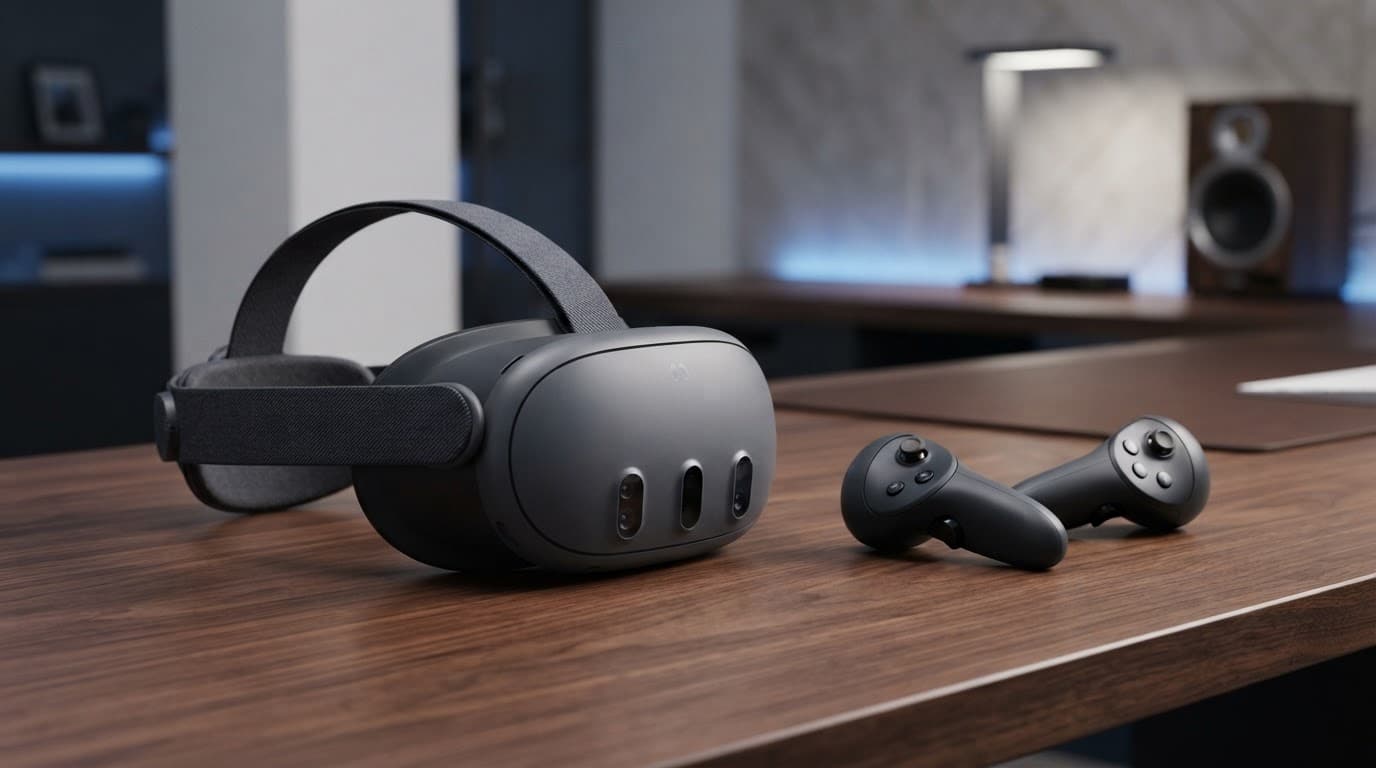
AI-generated image showing the Meta headset and Touch Plus controllers.
Who should buy Quest 3, and who should skip it
Quest 3 suits standalone gamers who want demanding VR without buying a gaming PC. It also fits mixed-reality early adopters, fitness users who accept regular charging, and PC VR newcomers with a capable computer and suitable home network.
For Quest 2 owners, the upgrade is most worthwhile when sharper optics, newer performance and better mixed-reality features matter. That makes upgrading from Quest 2 more compelling for enthusiasts than for occasional players. The Meta Quest 3S is better for price-sensitive newcomers, whilst PC VR remains preferable for owners prioritising maximum graphical detail and a large computer-based library.
Buyers considering a 128 GB model should assess their game habits carefully, as larger installations can fill it quickly. People seeking very light hardware, all-day use or the highest possible image quality may find better options elsewhere. Buyers who want a fully open platform may also dislike Meta’s account requirement and Android-based store controls.
The verdict is favourable but conditional: Meta Quest 3 is the best balanced Meta headset, provided buyers budget for comfort upgrades and accept its closed ecosystem.
Frequently Asked Questions
Several practical questions remain after comparing the headset with other models. These answers focus on ownership details that can affect its value in a UK household, including whether Meta Quest 3 suits existing Quest 2 owners.
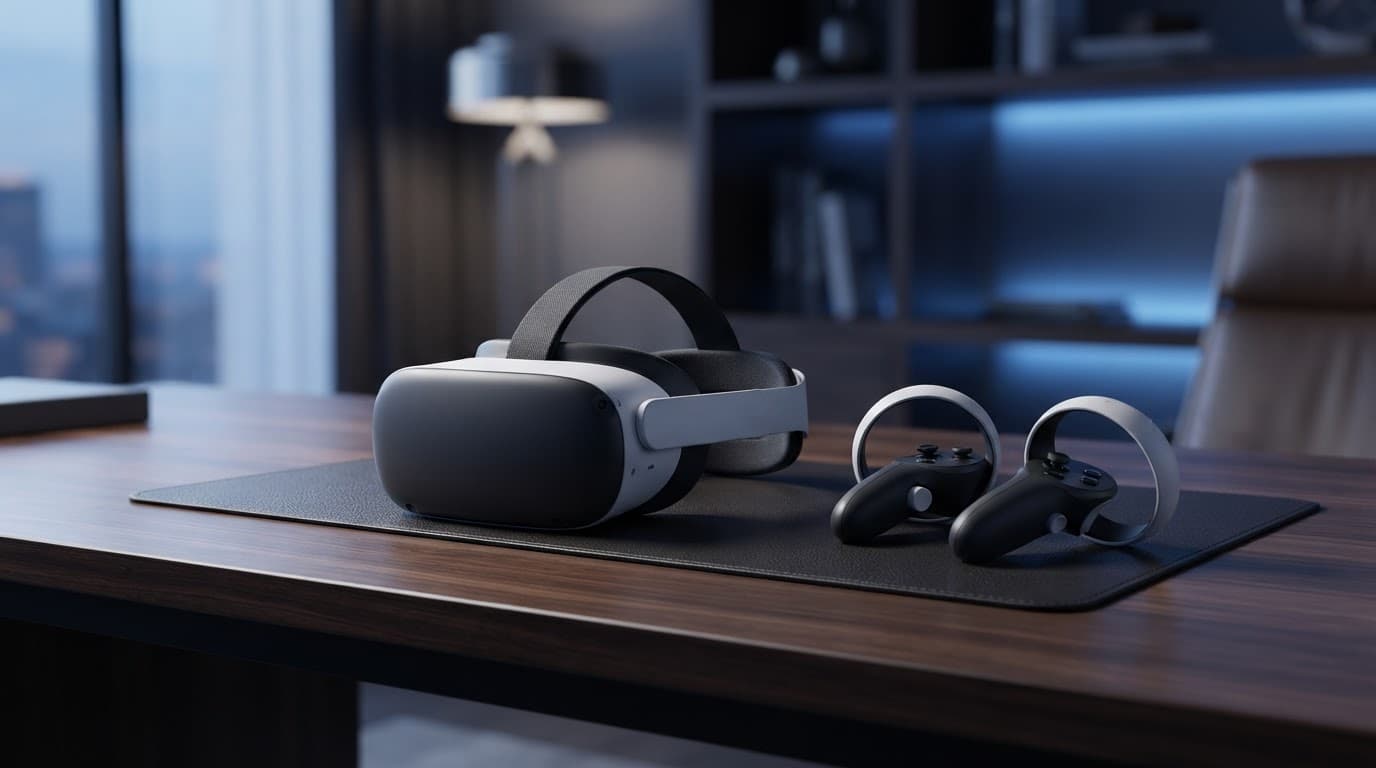
AI-generated image of a Meta Quest-style headset and controllers.
Can it be used offline?
Some installed games and apps work without an internet connection, making the headset useful for travel or unreliable broadband. Initial setup, software downloads, updates, multiplayer and streamed content still need internet access.
Android account authentication can also require a connection, even when a game itself works offline. Support varies by title, so check games before a flight or long journey. Owners upgrading from Quest 2 should also check that their installed software remains available.
Can more than one person share it?
Yes, multiple user profiles are supported, although the account system needs careful setup. App sharing may let another profile use compatible purchases from the primary account, but not every game supports this arrangement.
A household moving from Quest 2 should check account and app-sharing settings before sharing. Hygiene, facial-interface fit, boundaries and age-appropriate content also need attention.
Does it work with prescription glasses?
The standard facial interface has adjustable depth positions, creating extra space for many glasses frames. Larger frames may still press against the lenses or reduce comfort during longer sessions.
Prescription lens inserts are worth considering for regular users. They sit inside the headset, remove the need to wear spectacles and can help protect both sets of lenses from scratches.
Is it suitable for watching films and television?
It can display films, streaming services and large virtual cinema screens. The experience works best in a dark or softly lit room, especially in a seated cinema environment.
Battery life remains the main limitation. Some streaming platforms may also provide a less complete app experience than they do on televisions or tablets.
How long should it last?
The headset should remain useful for several years if software support continues and developers maintain compatibility. Physical condition depends on charging habits, storage, lens protection and how often it’s used for active games.
Compared with Quest 2, newer hardware should offer a longer useful life, although its built-in battery will gradually lose capacity. A supportive strap, careful cleaning and protection from direct sunlight can reduce avoidable wear.
Does it include enough after-sales protection?
The manufacturer’s warranty covers faults and defects under its terms. It doesn’t normally replace insurance for theft, loss or accidental damage.
Gadget insurance should cover VR headsets, controllers and accessories, including use outside the home. Check the excess, claim limit, proof-of-purchase rules and exclusions. These details matter particularly when buying online or choosing refurbished stock.
Explore More Buyers Guides & Reviews
For a list of our main buyers guides use the drop-down menu at the top of the page. Topics related to this article are:
Kitchen Appliances Buyers Guides
–
Explore Our Blog Categories for Expert Buying Advice
- AI Powered Product Finder Tools (25)
- Expert Buying Guides & Shopping Tips for UK Shoppers (1,431)
- Brands & Designer Products (Men, Women & Electronics) (285)
- Designer Fashion Brands: Buyer’s Guides & Reviews (163)
- Electronic Brands: Buyers Guides & Reviews (88)
- Apple Products Buyer’s Guides & Reviews (25)
- Brands – Phones, Laptops, PC”s, Tablets | Buyer’s Guides & Reviews (42)
- Electronics – Tablet & iPad Reviews and Buyers Guides (11)
- Kitchen Appliance Brands: Buyer’s Guides & Reviews (22)
- Laptop Brands & MacBooks Buyer’s Guides & Reviews (9)
- Phone Brands & iPhones Buyer’s Guides & Reviews (23)
- Car Buying & Financing Made Easy | Expert Guides for the UK (89)
- Clothing, Fashion & Accessories Buying Guides UK (496)
- Beauty, Health & Wellness | Perfume, Skincare, Makeup & Wellbeing Guides (183)
- Footwear: Trainers & Shoes Buyers Guides (49)
- Jewellery: Expert Reviews, Trends & Buying Guides (73)
- Men's Clothes — Buyers Guides & Reviews (39)
- Men’s Clothes, Fashion & Accessories Guides UK | Latest Trends & Smart Shopping (167)
- Women's Clothing Buyers Guides — Dresses, Tops & More (194)
- Women’s Clothes, Fashion & Accessories Guides UK | Latest Trends & Smart Shopping (435)
- Electronics, Tech & Gadgets: Reviews, Deals & Buying Guides UK (173)
- Furniture Buyer’s Guides | Home & Garden & Styling Tips (326)
- Bedroom Furniture Guides UK | Expert Tips & Best Value Deals (93)
- Garden Furniture, Landscaping & Garden Rooms Guides UK | Expert Tips & Best Value Deals (169)
- Garden Sofa & Sofa Sets Buyers Guides (11)
- Garden Tables & Chairs: Sets, Individual Tables & Seating Buyers Guides (53)
- Home Furniture, Décor & Interior Design Guides UK | Styling Tips & Inspiration (169)
- Living Room Furniture, Design & Décor Guides UK | Styling Tips & Inspiration (57)
- Sofa & Sofa Beds Buyers Guides (19)
- Sofa Beds Buyers Guides (7)
- Sofa Buyers Guides & Expert Advice (11)
- Holidays & Travel: Hotels, Villas & Flights (161)
- Home & Garden Improvements | Renovations & Outdoor Transformation Guides (102)
- Insurance & Protection: Travel, Landlord, Gadget & More UK (159)
- Gadget Insurance UK | Expert Guides, Reviews & Smart Protection Tips (33)
- Home Emergency Cover UK | Expert Guides, Reviews & Practical Protection Tips (21)
- Landlords Insurance UK | Expert Guides, Reviews & Smart Protection Tips (31)
- Travel Insurance UK | Expert Guides, Reviews & Money-Saving Tips (34)
- Pets: Guides, Tips & Inspiration (26)
- Brands & Designer Products (Men, Women & Electronics) (285)
- Gifts for Everyone: Ideas for Every Occasion & Budget (49)