A Google Chromebook is an affordable, cloud-focused computer built around ChromeOS. Unlike a traditional laptop with a full desktop software library, this ChromeOS device handles storage, software and offline work differently.
Google develops the operating system and reference devices, while manufacturers produce the wider hardware range. “Googlebook” is an informal search term sometimes used for a Chromebook, but it is not Google’s official product name. This review assesses simple software, strong security, a short startup time, dependable battery life, performance and build quality, plus value for UK households, the education market, students and home workers.
Three AI-generated images, sized to match the main text column, will support the review, with responsive tables designed to remain readable on desktop and mobile. External links to reputable news and reference sources will add context, while guidance on buying online will explain how broader choice, easier price comparison and occasional discounts can improve value without relying on retailer promotion. The review begins with the software and hardware behind the Chromebook range.
Key Takeaways
- Chromebooks start quickly and run simple ChromeOS, making them practical for study, browsing and everyday home use.
- Strong security features and automatic updates keep maintenance low, although no platform offers complete protection.
- Long battery life and browser-based learning make Chromebooks relevant to the UK education market.
- Performance varies, so compare the processor, RAM, storage, display and software support. They suit light use better than demanding software or gaming.
- When buying online, check the full specification, warranty, returns policy and price before ordering.
What is a Google Chromebook, and how does ChromeOS work?
A Chromebook is a laptop that runs ChromeOS, Google’s operating system. In plain English, it is designed for web browsing, online documents, streaming, email and Android apps rather than traditional desktop software. Most models are affordable, start quickly and need little technical maintenance.
The term “Googlebook” is an informal search phrase, not the name of a separate product. Google develops the operating system, while companies such as Acer, Lenovo, HP and ASUS make most Chromebook hardware. Calling a laptop a “Googlebook” does not mean it is a Google-made laptop, such as the discontinued Pixelbook and Pixelbook Go.
How ChromeOS works
The system centres on the Chrome browser, although it is more than a browser running on a laptop. Web applications such as Google Docs, Microsoft 365 online, Gmail and Canva run through the browser, with much of the work handled through internet services. Files can be stored in Google Drive, which makes them available across compatible devices after signing into a Google Account.
Local storage still exists. A Chromebook can save downloads, documents and media on its internal drive, while some Android apps support offline use. Google Drive provides useful cloud storage, but it does not remove the need to check local capacity. The platform works best when a reliable internet connection is available. Users who regularly work on planes, trains or in areas with poor reception should check offline support for each app rather than assume it will match a Windows programme.
Many newer Chromebooks also run Android apps from Google Play. Linux applications are available on supported models, giving technically minded users access to programming environments and command-line software. These features vary by model, processor, age and administrator settings, so hardware specifications matter more than the name alone.
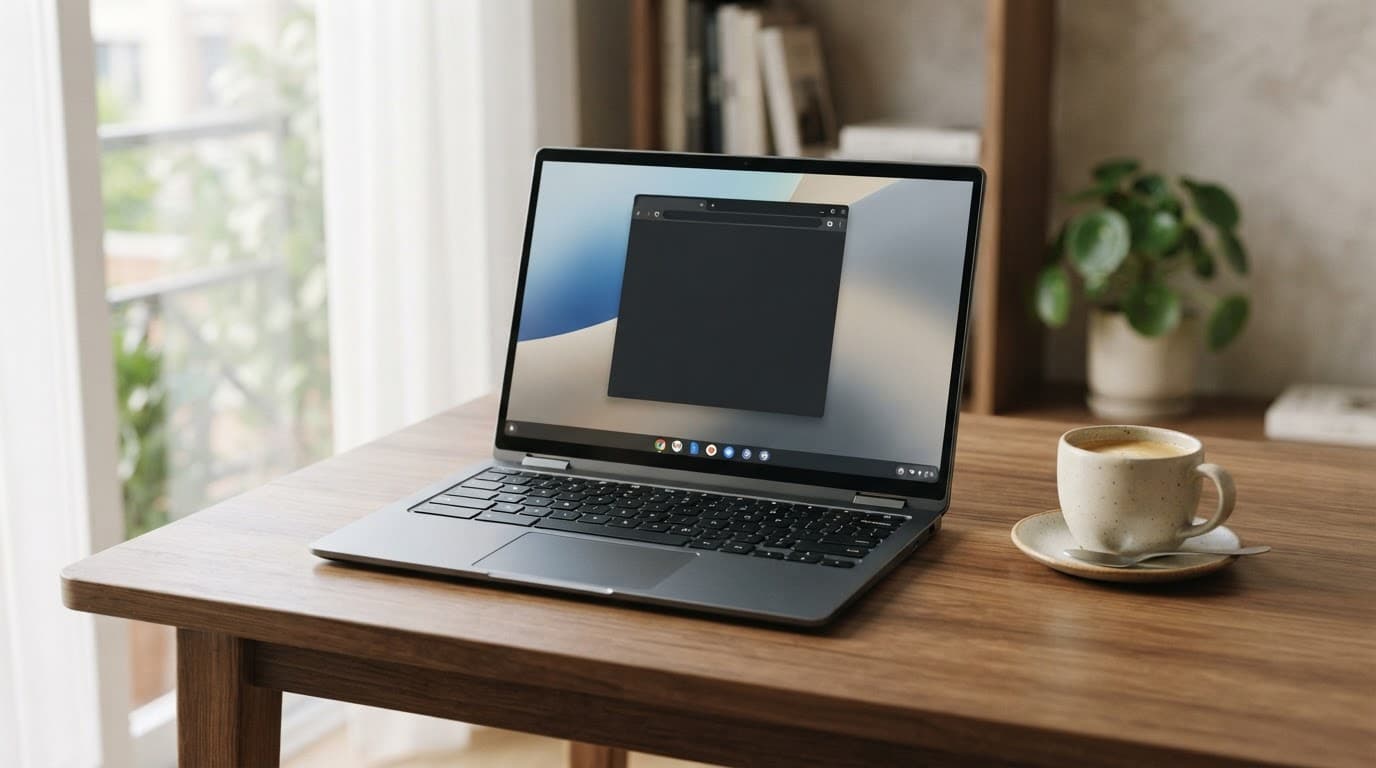
An AI-generated image showing a Chromebook in a clean home workspace.
ChromeOS compared with Windows and macOS
The main differences are practical rather than cosmetic. This comparison reflects typical consumer systems, not every individual model.
| Area | ChromeOS | Windows | macOS |
|---|---|---|---|
| Software | Web applications, Android apps and selected Linux tools | Broad desktop software support | Mac-specific and cross-platform software |
| Updates | Updates vary by model and install automatically | Automatic, with wider hardware variation | Automatic on supported Macs |
| Offline use | Possible, but app-dependent | Generally strong | Generally strong |
| Gaming | Browser games and selected Android or cloud games | Best support for PC gaming | Limited compared with Windows |
| Typical UK price | About £200 to £800 | About £250 upwards | About £1,000 upwards |
A Chromebook suits browser-based work, but it does not replace a traditional laptop for every task. Full desktop Microsoft Office applications, specialist software and some professional tools may require Windows or macOS.
ChromeOS keeps much of its security work in the background. Updates install without the lengthy maintenance often associated with traditional computers. Verified Boot checks that the system has not been altered, while sandboxing limits what a compromised app or webpage can access. Guest mode allows temporary use without opening the main account, although it is not a replacement for a separate secure profile.
That low-maintenance approach is what people tend to like most about Chromebooks. Quick start-up, dependable battery life, simple account-based setup and fewer malware concerns suit students, families and the UK education market. Their limits become clearer with specialist Windows software, demanding games, video editing and workflows that depend on substantial local storage.
Google Chromebook performance, battery life and everyday usability
Chromebook performance depends more on the complete specification than the logo on the lid. ChromeOS feels quick on modest hardware because it has fewer background demands than Windows. Even so, cheaper models can struggle with complex sites, video calls and many browser tabs. The informal “Googlebook” label does not identify a particular performance tier or hardware range.
How Chromebook hardware performs in daily use
Entry-level Intel Celeron, Intel N-series, AMD Athlon and MediaTek processors suit browsing, email, Google Docs, streaming and schoolwork. They can manage several ordinary tabs and web applications, although complex sites may expose their limits. MediaTek chips often support good battery performance, whilst Intel and AMD options can offer stronger compatibility with Linux tools and Android apps.
Mid-range Intel Core i3, Core 3, AMD Ryzen 3 and similar processors suit households that keep many tabs open. They handle Microsoft 365 online, research, music streaming and regular video meetings with fewer pauses. Premium Core i5, Core 7 and Ryzen 5 models are better for heavier multitasking and supported Linux applications. They can also manage light browser-based video editing, but demanding local editing remains a poor fit. ChromeOS still cannot replace specialist Windows software.
RAM affects the experience just as much. Four gigabytes is workable for basic tasks, but 8GB provides a more comfortable margin for multitasking. Storage also matters. Faster SSD storage makes starting apps and opening local files feel more responsive than eMMC. Meanwhile, 64GB can become restrictive as Android apps, downloads and offline files accumulate.
| Chromebook class | Indicative specification | Suitable workload |
|---|---|---|
| Basic | 4GB RAM, 64GB eMMC, entry-level Intel, AMD or MediaTek chip | Browsing, documents, streaming and primary schoolwork |
| Mid-range | 8GB RAM, 128GB SSD, Intel Core 3, Core i3 or Ryzen 3 | Many tabs, video calls, office work and study |
| Premium | 8GB or 16GB RAM, 256GB SSD, Core i5, Core 7 or Ryzen 5 | Heavy multitasking, Linux tools and light creative work |
These figures are indicative rather than fixed performance promises. Cooling, firmware, screen resolution and SSD quality can change the result. Fanless designs are quiet, but sustained workloads may slow once heat builds.
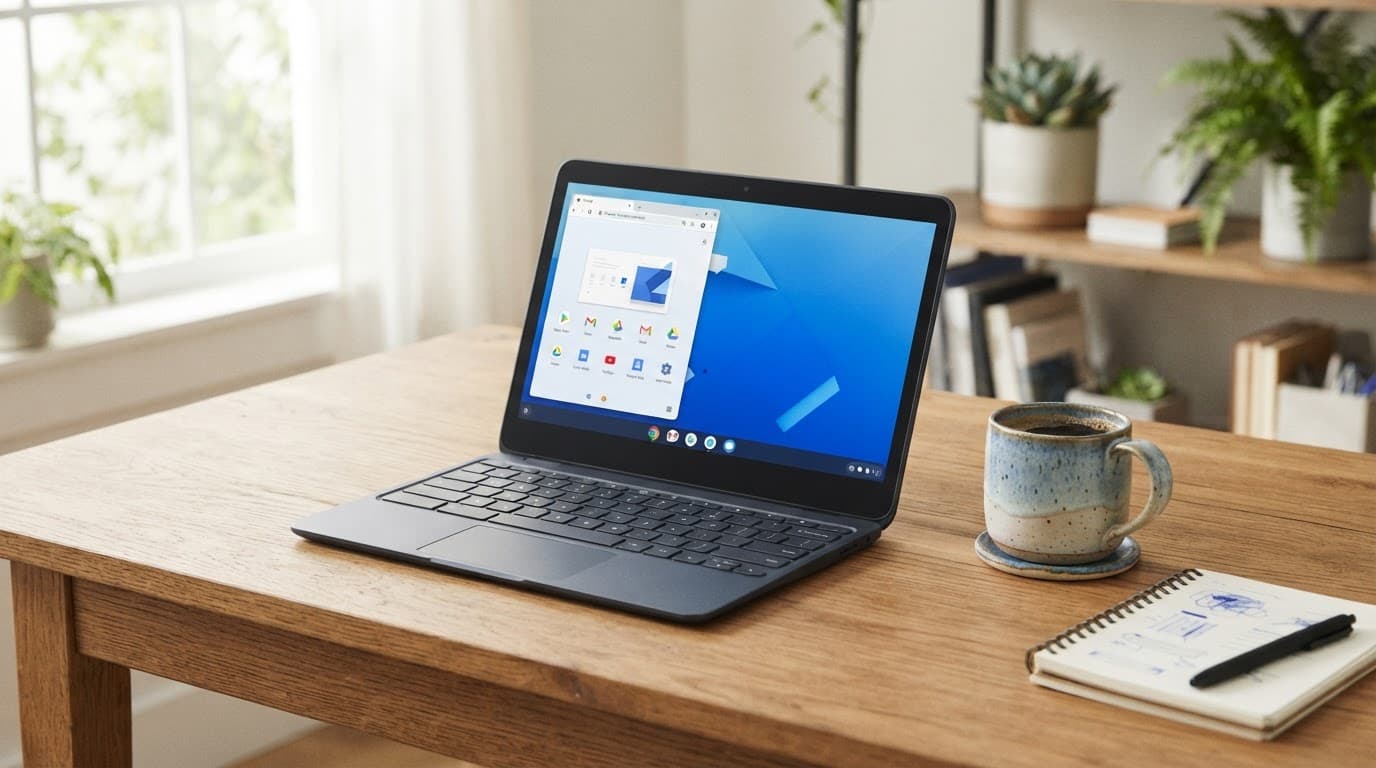
An AI-generated image showing a Chromebook in a clean home workspace.
Battery life and build quality vary by model
Chromebooks commonly last through a working day, but battery life claims usually reflect controlled testing. High screen brightness, weak Wi-Fi, frequent video calls, Android apps and demanding websites reduce endurance. A model rated for 10 hours may deliver less during mixed real-world use, particularly with a small battery or bright, high-resolution display.
Everyday usability also depends on hardware choices that specifications often overlook. Some budget keyboards feel firm and comfortable, whilst others have shallow keys and noticeable flex. Trackpads range from precise glass surfaces to smaller plastic designs. USB-C charging is increasingly common, but buyers should check for USB-A, headphone, microSD and external monitor support.
Touchscreens and 360-degree hinges make 2-in-1 models useful for reading, presentations and Android apps. These form factors add weight and cost, however. Conventional clamshells may be simpler and lighter. Webcam quality remains inconsistent, so regular meeting users should check resolution, microphone performance and whether the camera has a physical privacy shutter.
Google’s most useful current platform label is Chromebook Plus, which sets a higher hardware baseline for demanding everyday use. Features such as Gemini Intelligence may also be available, depending on the model, region and software version. An Acer Chromebook or HP Chromebook can still be a sensible choice when the workload is modest and the price is substantially lower. The Samsung Galaxy Chromebook is a historical premium hardware example, but its age and ongoing support should be checked carefully before purchase. Google-made Pixelbook models are no longer current buying recommendations, and their discontinued status limits long-term support and availability.
The Chromebook features that stand out most
Chromebooks differ from low-cost Windows laptops because ChromeOS keeps the operating system focused. The result is a computer that starts quickly, needs little routine servicing and places Google services at the centre of everyday work. “Googlebook” is an informal label, not a separate Google hardware range. This simplicity helps Chromebooks appeal to families, students and people who mainly use a browser.
Fast start-up and low-maintenance software
ChromeOS usually reaches the desktop within seconds, without the long loading periods associated with some budget Windows machines. Automatic updates run in the background, while built-in security checks help protect the operating system.
Google’s Verified Boot checks whether the system has been altered, while sandboxing limits access for individual apps and browser processes. These security features reduce common risks, but they don’t replace strong passwords, two-step verification and sensible permission choices.
ChromeOS offers platform-level protection, but personal account security still depends on the user.
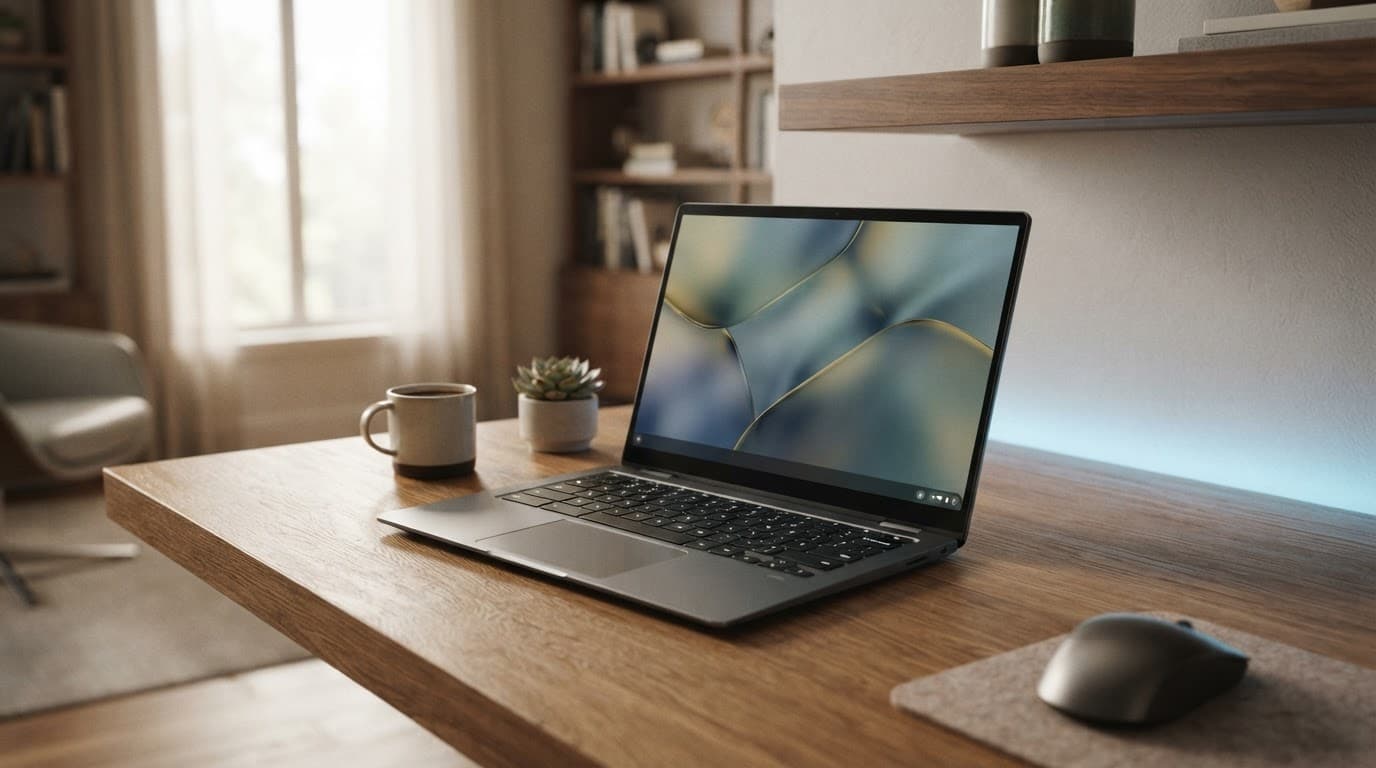
An AI-generated image showing a Chromebook in a modern home workspace.
Google services and Android phone integration
The Chromebook experience is strongest for people already using Google’s ecosystem. Google Workspace supports documents, spreadsheets and presentations, while Google Drive keeps files available across compatible devices. Supported Android apps come from Google Play, and Gemini Intelligence may add newer AI-related tools where available. Support differs by model and software version.
Cloud storage has practical limits when several household members share capacity across Drive, Gmail and Photos. A free Google Account includes a set amount of shared storage, while heavier use may require a paid Google One plan. Selected Workspace files can be made available offline, but this needs preparation before travelling or working without reliable internet access.
Phone Hub is another feature that separates Chromebooks from many inexpensive Windows laptops. A compatible Android phone can share a mobile connection, display recent photos and help users locate or silence the handset. Some ChromeOS tools also show notifications and other phone-related tasks, although compatibility varies by phone and software version.
Which Chromebook features deserve priority?
The Chromebook Plus specification is the clearest must-have baseline for demanding everyday use. These models generally provide better support for multitasking, video calls and modern web apps than the cheapest options. A model with 8GB of RAM, an SSD and a quality display is worth considering for university work, home offices and frequent travel.
Standard Acer Chromebook, Lenovo, HP and ASUS models remain sensible when browsing, streaming and document work are the main requirements. Touchscreen designs and 360-degree hinges add flexibility, including for Android apps, whilst a lightweight model with a large battery suits mobile users.
The main complaints concern inconsistent keyboards, webcams, displays and storage across manufacturers. Software choice is also narrower than on Windows, and ChromeOS may not suit specialist desktop applications. Chromebook buyers therefore gain simplicity and value, but only when the hardware matches the work expected of it.
Which Google Chromebook models and product types are worth considering?
Google Chromebook buyers choose between hardware brands and specifications within the ChromeOS ecosystem, rather than selecting from one range of Google-made laptops. Acer, ASUS, HP and Lenovo produce most current models, while Google develops ChromeOS and sets standards such as Chromebook Plus. Listings using “Googlebook” should still be judged by the manufacturer, hardware specifications and support date.
The right choice depends on workload, portability and expected lifespan. A cheap school laptop may need basic performance, while university work, video calls and heavy multitasking justify better hardware. A Chromebox is also worth considering if you already have a monitor, although this article focuses on laptops.
Budget Chromebooks for school and everyday use
Compact 11-inch Chromebooks remain useful for primary schoolwork, web browsing and streaming. They remain relevant across the education market because they are light for school bags and often affordable for families. Small displays and basic processors limit comfortable multitasking, however.
A budget 14-inch Acer Chromebook offers a better workspace for documents and split-screen browsing, provided its specifications are suitable. These models are often the best value for households wanting a straightforward laptop for email, homework and entertainment. A durable chassis, spill-resistant keyboard and strong hinge matter more than a premium finish in a family machine.
For most buyers, the minimum sensible specification is 8GB of RAM, although 4GB can still handle basic tasks. Storage should ideally reach 128GB, particularly when several people share the device or use Android apps. A Full HD IPS screen is also preferable to a dim, low-resolution panel. These choices help ChromeOS remain responsive during everyday use.
Student-friendly laptops and 2-in-1 convertibles
Students often benefit from a lightweight 14-inch model with USB-C charging, a comfortable keyboard and a reliable webcam. Weight, charging convenience and battery life all matter when carrying a laptop between lectures and accommodation. Wi-Fi 6 or later helps in busy university accommodation, although the local network remains equally important.
Different form factors suit different study habits, from conventional laptops to 2-in-1 convertibles and detachable designs. A 2-in-1 Chromebook adds a touchscreen and 360-degree hinge. It can operate as a laptop for essays, a tent-shaped display for presentations or a tablet for reading and Android apps. This flexibility increases cost and weight, so it earns its place only when those modes will be used regularly.
Detachable Chromebooks take the tablet idea further. The keyboard can be removed for reading and casual browsing, but detachable designs usually provide less typing comfort and lower sustained performance than conventional laptops.
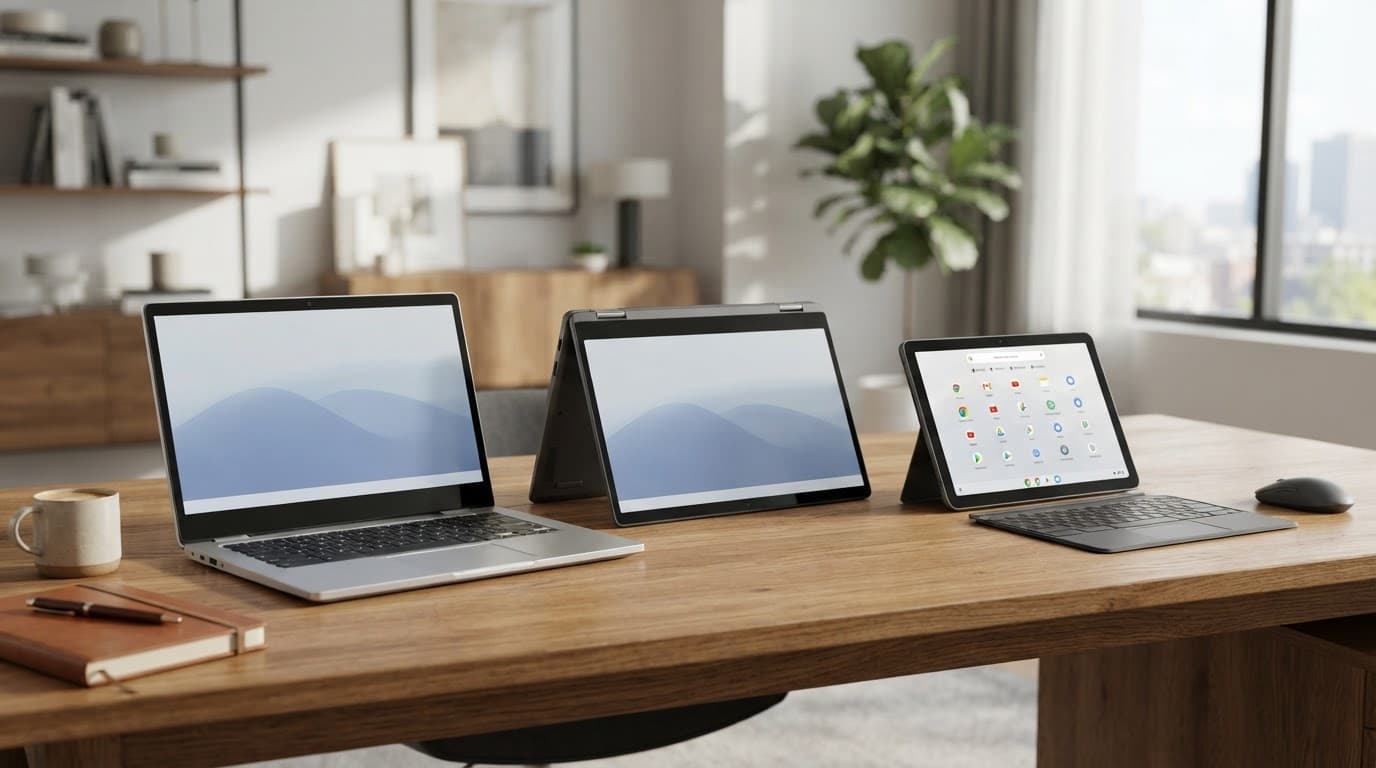
AI-generated image showing laptop, convertible and detachable Chromebook form factors.
Chromebook Plus and premium large-screen models
Chromebook Plus devices are the strongest all-round choice for demanding everyday use. Their higher baseline specifications suit large numbers of browser tabs, video meetings, Microsoft 365 online and cloud-based creative tools. Eligible models may also offer the Gemini Intelligence feature set, but this is not a universal Chromebook capability. Models with 8GB or 16GB RAM, an SSD and a high-quality webcam are worth prioritising.
Premium large-screen Chromebooks add better displays, speakers, keyboards and build quality. They suit home offices and users who spend long periods writing or viewing media. Video editing and other specialist workloads may still require Windows or macOS, since ChromeOS cannot replace every desktop application.
Google’s Pixelbook and Pixel Slate showed what the company could do with premium ChromeOS hardware, alongside products such as the Samsung Galaxy Chromebook. Both are historical reference points, not current default recommendations. Their story is documented in the Pixelbook background material and the Pixel Slate overview. A used or refurbished Samsung Galaxy Chromebook needs careful checking because its display, age and support status affect its value.
Brand comparisons can help narrow a shortlist, but they cannot replace checking the specifications. An Acer Chromebook, HP Chromebook or Lenovo Chromebook may offer good value when its processor, memory, screen, ports and support date match your needs.
A long Auto Update Expiration date is one of the most important specifications. It determines how long the device receives ChromeOS updates, so a cheaper model with limited remaining support can be poor value despite an attractive starting price.
Google Chromebook value for money in the UK
Google Chromebook value for money depends on the full ownership cost, not simply the lowest price on a specification label. ChromeOS keeps maintenance low, starts quickly and works well with Google services, which explains its appeal amongst students, families and home workers. A bargain model with 4GB of RAM, limited storage and little update support can still become a false economy.
Listings may use the informal “Googlebook” term, but buyers should judge value by the actual model, support period and condition.
Indicative UK Chromebook price bands
Prices change with sales, specifications and availability, so these figures provide a practical guide rather than retailer promises.
| Likely use | Sensible specification | Indicative price | Main compromise |
|---|---|---|---|
| Basic browsing and schoolwork | 4GB or 8GB RAM, 64GB storage, entry-level processor | £180 to £300 | Smaller screen, slower multitasking and weaker build |
| Home office and study | 8GB RAM, 128GB SSD, Full HD display | £300 to £500 | Fewer premium materials and ports |
| Chromebook Plus workloads | 8GB or 16GB RAM, SSD, stronger processor, improved webcam | £400 to £700 | Higher cost, with limited specialist software |
| Premium large-screen use | 8GB or 16GB RAM, high-quality display, better keyboard and speakers | £700 to £1,000 or more | ChromeOS still cannot replace every Windows or macOS application |
The Chromebook Plus range is a sensible higher baseline for heavier everyday work, particularly with video calls, many tabs and cloud-based office tools. Standard 14-inch models remain suitable for email, streaming, homework and light administration. However, a Chromebook may not replace a machine needed for local video editing.
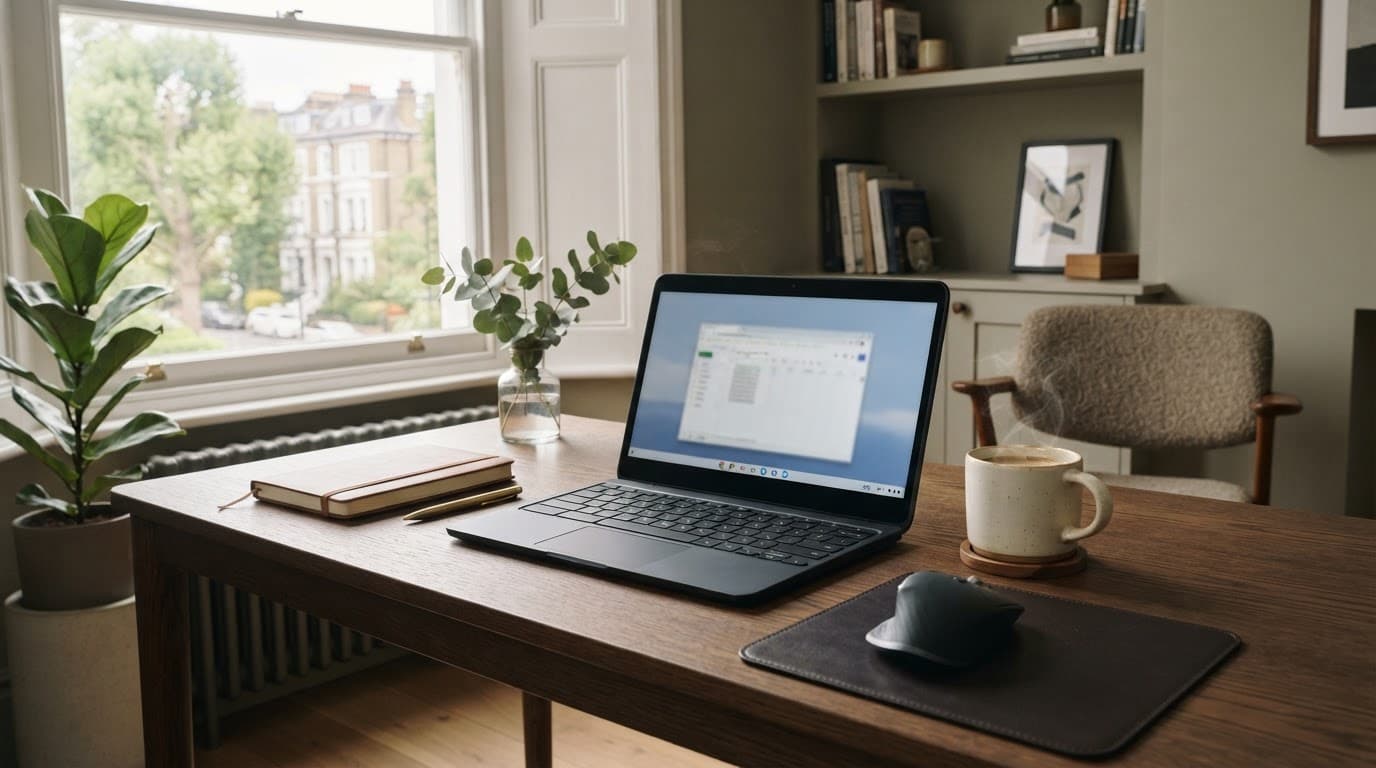
An AI-generated image showing a Chromebook in a UK home workspace.
The costs beyond the laptop
Cloud storage can increase the ownership cost. Google One and similar plans add a regular subscription, while accessories such as a USB-C charger, mouse, sleeve or external monitor may add another £30 to £200.
Limited local storage can also become restrictive as Android apps, downloads and offline files accumulate. Mobile users may need a phone hotspot or separate data plan. Extended cover can help with accidental damage, but check its excess, exclusions and replacement terms against the device’s value.
Repairs outside warranty can be uneconomic on older budget models, especially where the screen, motherboard or battery costs a large share of the original price. Refurbished premium devices, such as a Samsung Galaxy Chromebook, need careful checks of battery condition, warranty and remaining support before being treated as good value.
The Auto Update Expiration date has a direct effect on value. ChromeOS updates stop after that date, so a heavily discounted older model with little support remaining may cost more over time than a newer model.
New, refurbished and clearance options
Buying new offers the clearest warranty position and the lowest risk. Refurbished stock can reduce the price of premium hardware, but listings should confirm battery condition, cosmetic grade, keyboard layout, charger, warranty and returns policy. Clearance devices need the same checks, particularly the update-support date, because old stock may already have lost valuable support time.
Online buying improves access to model comparisons, specification details and price history. It also makes it easier to track discounts without being limited to local stock. The strongest value comes when a lower price is matched with suitable hardware, a long support period and dependable after-sales protection.
Who should buy a Chromebook, and who should avoid one?
A Chromebook is a strong choice when most computing happens in a browser. The informal “Googlebook” search label matters less than whether ChromeOS suits your workflow. It fits buyers who value quick start-up, simple security, low maintenance and good battery life over extensive desktop software support.
Chromebook buyers who are likely to be satisfied
School pupils often benefit from a Chromebook because Google Classroom, Microsoft 365 online, research tools and video lessons run in a browser. This makes it a practical option in the UK education market, where managed devices can reduce technical support needs. Before buying, schools and parents should confirm that required services, testing platforms and printing systems are compatible.
University students can find good value in a well-specified model with 8GB of RAM, an SSD and a comfortable keyboard. It works well for essays, online libraries, presentations and group work, while selected Android apps can add useful flexibility. Some university applications, specialist scientific tools and engineering packages still require Windows or macOS, so course requirements need checking before purchase.
Families, casual users and remote workers who rely on browser-based services are another natural audience. Web applications cover streaming, email, online banking, Google Workspace, Microsoft 365 online and video calls with modest hardware demands. Automatic updates and security features also make shared household use relatively straightforward, although no platform removes the need for sensible account and password practices.

AI-generated image 3 showing a Chromebook being considered in a UK study or home-office setting.
Chromebooks are particularly practical where an organisation manages devices through Google Workspace. Administrators can control accounts, settings and access centrally, although a workplace using Windows-only systems may create compatibility problems.
Who should avoid a Chromebook?
ChromeOS is less suitable for users who need specialist applications, powerful local hardware or reliable offline access. The right choice depends on the software and working methods involved, rather than the device label.
A Windows laptop is usually the safer choice for users who need the full desktop version of Microsoft Office, specialist business software or university applications that only support Windows. Adobe Creative Cloud, advanced music production, video editing and demanding gaming also require more capable platforms, wider driver support and greater local storage.
MacOS is often better for people already invested in Apple’s software and hardware ecosystem, as well as creative users who depend on professional audio, video or design applications. Chromebooks can run browser-based creative tools, but alternatives don’t always provide the same features or performance.
Technical users should also check support for their preferred Linux applications and development workflow. Compatibility can vary, particularly where tools require specific packages, drivers or local system access.
Offline work is another dividing line. ChromeOS supports offline documents and selected apps, yet a Chromebook isn’t ideal for someone who regularly works without internet access. It is also less suitable for large video, photo or audio libraries stored locally. Limited upgrade options mean that RAM and storage should be chosen carefully at purchase.
The practical differences are clearer in a direct comparison.
| Factor | Chromebook | Windows or macOS |
|---|---|---|
| Price | Usually lower for everyday tasks | Wider range, including expensive hardware |
| Speed | Responsive for browser work | Better for demanding local workloads |
| Battery | Often strong, depending on display and processor | Varies considerably by model |
| Security | Automatic updates, sandboxing and Verified Boot | Strong protection, with wider variation |
| Repairability | Often limited on budget models | Also varies, with more hardware choice |
| Software | Web apps, Android apps and selected Linux tools | Broad desktop software support |
| Offline use | Suitable for selected prepared tasks | Generally stronger for local work |
| Upgrades | RAM and storage are often fixed | Some models offer more flexibility |
The dividing line is therefore software compatibility, not brand loyalty. ChromeOS suits people whose work stays in the browser, while a traditional laptop remains the safer fit when local applications determine the workflow.
How to compare and buy the right Chromebook online
Buying a Chromebook online gives UK shoppers more choice than a high-street display, but comparing ChromeOS devices can be confusing. A lower price does not compensate for weak hardware, limited storage or an approaching Auto Update Expiration date.
Start with the work, not the brand
Begin with the required apps and tasks, then compare the complete hardware specifications. Browser-based documents, streaming and email place modest demands on a Chromebook. Video calls, many open tabs, Linux tools and Android apps need more capable hardware.
A practical specification shortlist should include:
- A processor suited to the intended workload.
- At least 8GB of RAM for regular multitasking, rather than 4GB where the budget allows.
- 128GB of storage for downloads, apps and offline files, preferably on an SSD.
- A Full HD IPS display, with screen size chosen around portability and desk use.
- Suitable USB-C, USB-A, headphone, microSD and external monitor connections.
- A usable webcam, comfortable keyboard layout, manageable weight and credible battery performance.
Compare clamshell, convertible and detachable form factors against the weight, portability and intended use. A touchscreen and folding hinge may be useful, but they can add cost and weight.
Model numbers can create confusion. An Acer Chromebook, HP Chromebook and Lenovo Chromebook still need checking at individual model level. Compare the processor, RAM, storage and support date rather than relying on the brand or series name.
The Auto Update Expiration date should be treated as part of the price. A cheap Chromebook with little support remaining may offer poor long-term value.
Independent reviews, manufacturer support pages, Google’s Chromebook documentation and neutral Chromebook background material can clarify specifications and ChromeOS support periods. News reporting is useful for checking product launches and ChromeOS changes. Review testing remains more relevant to keyboards, webcams, thermals and real battery life.

AI-generated image showing an online Chromebook comparison.
Check the complete online buying cost
The displayed laptop price is only one part of the comparison. The delivered total should include postage, required accessories, delivery times and any payment charges. Product listings also need checking for UK keyboard layout, new or refurbished condition, included charger and warranty length.
Returns policies deserve equal attention. A refurbished Chromebook may offer strong hardware value, but its battery condition, cosmetic grade, warranty and return terms should be clear. Protection plans can add useful cover for accidental damage, yet their excesses and exclusions need comparison with the Chromebook’s replacement cost.
| Check before purchase | What to confirm |
|---|---|
| Hardware | Processor, RAM, storage, display and ports |
| Longevity | Auto Update Expiration date |
| Condition | New, clearance or refurbished status |
| Total cost | Delivery, accessories and payment charges |
| Protection | Warranty, returns, excess and exclusions |
Set up the Chromebook securely
During setup, files can be transferred through Google Drive, a USB drive or an approved cloud service. Important documents should be checked offline before the old computer is wiped or sold.
Two-step verification should be enabled on the Google Account, and recovery details should remain current. Recovery codes belong in a secure password manager or another safe location, not only on the Chromebook itself. This preparation turns an online purchase into a dependable working device rather than another box of specifications.
Frequently Asked Questions
Is a Google Chromebook the same as a Googlebook?
A Google Chromebook is a laptop that runs ChromeOS, while “Googlebook” is only an informal search term. Most Chromebook hardware is made by manufacturers such as Acer, Lenovo, HP and ASUS rather than Google.
Are Chromebooks suitable for students and schoolwork?
Yes, Chromebooks are well suited to browser-based learning, Google Classroom, online documents, research and video lessons. Choose a model with at least 8GB of RAM, 128GB of storage and a long Auto Update Expiration period where the budget allows.
Can a Chromebook run Microsoft Office and Android apps?
Chromebooks can run Microsoft 365 online and many Android apps from Google Play. They may not support the full desktop versions of Microsoft Office or specialist Windows software, so check course or work requirements before buying.
How long does a Chromebook battery usually last?
Many Chromebooks can last through a working day, although real battery life depends on the display, processor, brightness, Wi-Fi and video-call use. Manufacturer estimates are based on controlled testing and may be lower during demanding everyday tasks.
What should I check before buying a Chromebook online?
Compare the processor, RAM, storage, display, ports, webcam, keyboard, warranty and Auto Update Expiration date. Also check the total delivered cost, UK keyboard layout, condition, returns policy and battery details if the device is refurbished.
Conclusion
Chromebooks are strongest when work is browser-based, the budget is controlled and low-maintenance security matters. ChromeOS keeps setup simple, battery life is often dependable and automatic updates reduce routine servicing. Software limits mean Chromebooks aren’t universal replacements for Windows or Mac computers.
The Google Chromebook proposition depends on your tasks, not the brand name alone. Chromebook Plus models remain the stronger choice for heavier everyday workloads. A Samsung Galaxy Chromebook shows why age and support status matter more than premium branding, regardless of the informal “Googlebook” label.
ChromeOS has reshaped expectations for affordable, cloud-first computing by showing that modest hardware can remain useful with focused software and limited maintenance. The trade-off remains clear: lower cost and simplicity in exchange for narrower desktop software support.
Explore More Buyers Guides & Reviews
For a list of our main buyers guides use the drop-down menu at the top of the page. Topics related to this article are:
Kitchen Appliances Buyers Guides
–
Explore Our Blog Categories for Expert Buying Advice
- AI Powered Product Finder Tools (25)
- Expert Buying Guides & Shopping Tips for UK Shoppers (1,367)
- Brands & Designer Products (Men, Women & Electronics) (273)
- Designer Fashion Brands: Buyer’s Guides & Reviews (153)
- Electronic Brands: Buyers Guides & Reviews (86)
- Apple Products Buyer’s Guides & Reviews (24)
- Brands – Phones, Laptops, PC”s, Tablets | Buyer’s Guides & Reviews (42)
- Electronics – Tablet & iPad Reviews and Buyers Guides (11)
- Kitchen Appliance Brands: Buyer’s Guides & Reviews (22)
- Laptop Brands & MacBooks Buyer’s Guides & Reviews (9)
- Phone Brands & iPhones Buyer’s Guides & Reviews (23)
- Car Buying & Financing Made Easy | Expert Guides for the UK (89)
- Clothing, Fashion & Accessories Buying Guides UK (454)
- Beauty, Health & Wellness | Perfume, Skincare, Makeup & Wellbeing Guides (165)
- Footwear: Trainers & Shoes Buyers Guides (46)
- Jewellery: Expert Reviews, Trends & Buying Guides (71)
- Men's Clothes — Buyers Guides & Reviews (38)
- Men’s Clothes, Fashion & Accessories Guides UK | Latest Trends & Smart Shopping (156)
- Women's Clothing Buyers Guides — Dresses, Tops & More (173)
- Women’s Clothes, Fashion & Accessories Guides UK | Latest Trends & Smart Shopping (395)
- Electronics, Tech & Gadgets: Reviews, Deals & Buying Guides UK (170)
- Furniture Buyer’s Guides | Home & Garden & Styling Tips (313)
- Bedroom Furniture Guides UK | Expert Tips & Best Value Deals (91)
- Garden Furniture, Landscaping & Garden Rooms Guides UK | Expert Tips & Best Value Deals (158)
- Garden Sofa & Sofa Sets Buyers Guides (11)
- Garden Tables & Chairs: Sets, Individual Tables & Seating Buyers Guides (42)
- Home Furniture, Décor & Interior Design Guides UK | Styling Tips & Inspiration (167)
- Living Room Furniture, Design & Décor Guides UK | Styling Tips & Inspiration (57)
- Sofa & Sofa Beds Buyers Guides (19)
- Sofa Beds Buyers Guides (7)
- Sofa Buyers Guides & Expert Advice (11)
- Holidays & Travel: Hotels, Villas & Flights (158)
- Home & Garden Improvements | Renovations & Outdoor Transformation Guides (99)
- Insurance & Protection: Travel, Landlord, Gadget & More UK (159)
- Gadget Insurance UK | Expert Guides, Reviews & Smart Protection Tips (33)
- Home Emergency Cover UK | Expert Guides, Reviews & Practical Protection Tips (21)
- Landlords Insurance UK | Expert Guides, Reviews & Smart Protection Tips (31)
- Travel Insurance UK | Expert Guides, Reviews & Money-Saving Tips (34)
- Pets: Guides, Tips & Inspiration (26)
- Brands & Designer Products (Men, Women & Electronics) (273)
- Gifts for Everyone: Ideas for Every Occasion & Budget (45)