Booking a holiday can produce a long list of prices that look comparable until baggage, cancellation terms, booking fees and provider conditions are added. Skyscanner helps UK travellers compare flights, hotels and car hire in one search, but generally acts as a comparison platform rather than selling bookings directly.
Its value depends on the final provider, total price and booking terms shown before payment. Flight comparison can reveal cheaper dates or alternative airports, while vehicle-rental searches can expose differences in deposits, mileage limits and insurance costs. Hotel searches may also include price-match options, where an eligible cheaper rate can lead to a discount, although conditions apply.
This review examines Skyscanner’s search tools, online booking journey, price comparisons, strengths, weaknesses and the travellers most likely to benefit. It also considers what users like about the brand, which features stand out, and which tools are worth trying. Prices and availability change frequently, so examples should be treated as snapshots rather than guarantees.
Key Takeaways
- Compare flight prices, dates and nearby airports before booking online.
- Check the full cost of vehicle rental, including deposits, mileage limits, fuel rules and insurance.
- Treat hotel price-match offers as conditional, and verify that any cheaper rate is eligible.
- Use flexible search tools to explore a broad choice of travel options.
- Confirm the final provider, total cost and cancellation terms before paying.
What Is Skyscanner and How Does Its Comparison Service Work?
Skyscanner is a travel search engine that brings flights, hotels and car hire options into one place. It usually does not sell the booking itself. Instead, it compares available offers and sends travellers to an airline, hotel provider, vehicle-rental company or booking partner to complete the purchase.
The company is owned by Trip.com Group, although this does not mean every listing is a personal recommendation or the cheapest available option.
That distinction matters when assessing Skyscanner’s prices. It is a research and comparison tool, or a broad search aggregator, rather than a single travel agency responsible for every booking condition.
How the comparison process works
A typical search starts with a route, destination, travel dates and passenger details. Results can then be filtered by price, journey length, departure time, airline, airport and number of stops.
The strongest flight features include flexible date searches, nearby airport comparisons and the “Everywhere” option for travellers who have not chosen a destination. These tools can reveal cheaper travel dates or less expensive airports that a standard fixed-date search would miss.
The same principle applies to vehicle rental and hotels. Comparing several offers gives travellers a clearer view of daily rates, room prices, deposit requirements, mileage policies and cancellation terms. Online comparison also provides wider choice than checking one provider at a time, while allowing prices and conditions to be reviewed before payment.

AI-generated image illustrating online travel comparison.
Why the cheapest result may not be the cheapest trip
The headline price is only the starting point. A low-cost flight can become more expensive after adding:
- Checked baggage or cabin-bag charges.
- Seat selection and airport transfer costs.
- Payment charges or other booking costs.
- Strict change, cancellation or refund conditions.
- Separate tickets that create extra risk during delays.
Vehicle-rental results require similar care. A low daily rate may come with a large deposit, limited mileage, a full-to-empty fuel policy or costly insurance exclusions. Hotel prices also need checking for taxes, breakfast, resort charges and cancellation deadlines.
Skyscanner compares available offers, but the final provider controls the booking terms and service delivered.
How Skyscanner makes money
Skyscanner can earn revenue when users click through to booking partners and complete certain transactions. It can also generate income through advertising and referral relationships with online travel agencies, such as Booking.com, as well as airlines, hotels, rental companies and other partners. That funding model does not mean every result is a personal recommendation or the cheapest complete option.
Search results depend on live availability, partner data, travel dates, airports and selected filters. Prices can change between the comparison page and the booking page. Skyscanner’s help guidance and its company background provide further context, but the final price and conditions should always be checked before payment.
Skyscanner Flight Search: How Much Can Travellers Save by Comparing Prices?
Skyscanner’s main strength is comparing flights across airlines and booking options in one search. This wider view can reveal cheap flights, cheaper dates, different departure airports and less obvious routes. However, the lowest headline fare may involve extra time, fees or booking risk.
A comparison search works best when travellers assess the complete journey rather than the first displayed price. Prices and availability can change quickly, so the amount shown on Skyscanner is not guaranteed until the booking provider confirms it.
Flexible Dates, Nearby Airports and Fare Monitoring
Flexible date tools help identify cheaper travel days when the schedule is not fixed. A return flight leaving on a Tuesday rather than a Friday may cost less. A whole-month search can also reveal patterns hidden by standard date searches. The Everywhere feature helps users discover destinations when their budget matters more than a fixed route.
Nearby airport searches widen the comparison further. A traveller based in London might compare several airports, while someone could compare departures from Edinburgh Scotland with other regional airports. However, a lower fare from a distant airport can lose its advantage after adding rail tickets, petrol, parking, hotel stays or early-morning transport.
Price alerts can monitor a selected route and report when fares change. They are useful for travellers who can wait, but an alert usually reflects a temporary fare rather than a reserved price. Availability may disappear before booking, or the fare may apply only to limited seats and restrictive conditions.
The Cheapest Flight Is Not Always the Best Value
Travellers should compare the complete cost of airline tickets, including fares offered by easyJet, Ryanair and British Airways when those options appear. Baggage, seat selection, booking fees and airport transfers may sit outside the initial price. An overnight departure might also require accommodation near the airport, whilst an indirect route can add meals and transport during a long connection.
Separate tickets and self-transfers carry greater risk. This matters especially for international flights, where connecting airports, baggage rules and self-transfer protection can add complexity. If the first flight arrives late, the second airline may not provide a replacement seat because the bookings are not protected as one itinerary.
For example, a Manchester to Lisbon search might show a low-cost indirect option below a more convenient direct flight. Comparing the full cost means adding baggage, transport between terminals, possible meals and the time spent travelling. It also means checking whether the connection is realistic and whether passenger protection applies.
Change fees and cancellation restrictions matter when plans may shift. A flexible fare can cost more at the outset but reduce losses if work, illness or transport disruption affects the trip. The booking provider’s page remains the decisive point, since it confirms the final price, baggage allowance, fare conditions and payment terms. Skyscanner makes comparison easier, but it cannot turn a temporary low fare into a guaranteed bargain.
Hotel Searches and Skyscanner’s Price Match Promise
Skyscanner’s hotel search brings together room rates from different booking providers, including options such as Booking.com, so travellers can compare prices for the same destination and dates. Results can also show differences in location, guest ratings, cancellation terms, breakfast availability and taxes. However, the displayed figure is a starting point, not a guarantee of the final amount.
A price-match option can add useful protection when an eligible cheaper rate appears after booking. Depending on the applicable offer, the benefit may take the form of a discount or price adjustment. It doesn’t apply automatically to every hotel reservation, so the policy conditions matter as much as the headline promise.

AI-generated image showing a hotel comparison search.
What to Check Before Booking a Hotel Through a Comparison Result
The full price should be checked before payment, including VAT, resort or city taxes, service charges and any cleaning or facility fees. Some costs appear only on the provider’s final booking page, while others are payable at the property.
The booking terms deserve the same attention as the rate. Check whether the hotel requires a deposit, when payment will be taken, and the exact cancellation deadline. A flexible rate may cost more but provide better value if plans change. A cheaper non-refundable room can become expensive when cancellation is impossible.
Room details also need careful comparison. Confirm the maximum occupancy, bed arrangement, included facilities and whether the quoted price covers the whole room or only one guest. Accessibility information should be treated as a practical requirement, not a minor filter. Travellers should check step-free access, adapted bathrooms, lifts, accessible parking and any relevant room measurements directly with the property.
Photographs and star ratings can create a favourable impression, but they shouldn’t be accepted without scrutiny. Where possible, compare them with independent, non-retailer sources, recent guest feedback and official tourism information. Images may show shared facilities rather than the booked room, and star classifications can differ between countries.
Before treating a price-match promise as valuable, the competing offer must usually match the property, room type, dates, occupancy, currency, availability, taxes and cancellation conditions. Evidence of the cheaper rate may also be required, and the claim may have to meet a stated deadline. Small differences can invalidate a comparison.
The final check is simple but often missed: confirm that the displayed rate belongs to the correct hotel and room. Similar property names, nearby branches and different board options can make two apparently identical results unsuitable for comparison. Skyscanner improves the search, but the provider’s booking page remains the decisive record of what the hotel reservation includes.
Comparing Car Hire Prices Without Missing the Hidden Costs
Car hire comparison is useful because it brings several providers, vehicle sizes, collection points and booking terms into one search. However, the daily rate is only one part of the price. A reliable comparison also considers costs that appear later, plus the practical conditions for collecting and returning the vehicle.
Why Vehicle Rental Comparison Needs More Than a Daily Rate
A quote advertised at £18 per day may look attractive for a three-day booking, but the final cost can be very different:
| Cost | Example |
|---|---|
| Three-day rental rate | £54 |
| Basic insurance or damage cover | £36 |
| Security deposit requirement | £800 held temporarily |
| Fuel charge or service fee | £25 |
| Airport collection fee | £30 |
| Total payable before the deposit | £145 |
The £800 deposit is temporarily held rather than necessarily charged, but it can affect available funds on a credit card. Insurance may also carry an excess, leaving the driver responsible for part of a theft or damage claim. Separate excess cover can sometimes reduce that financial exposure, but it isn’t the same as the rental company’s own protection. Policy terms, exclusions and claim arrangements differ, so check the distinction before payment.
Airport fees are another common reason for a higher total. A town-centre branch may offer a lower rate, whilst an airport location can add concession charges for convenience. Fuel rules matter too. A full-to-full policy usually requires the vehicle to be returned with a full tank. Other arrangements may include service charges or less favourable pricing.
Skyscanner’s search filters help compare manual and automatic vehicles, small cars and larger models, short bookings and longer rentals. They can also show whether collection takes place at the terminal, an off-site depot or a town-centre branch. Viewing several quotes together makes these differences easier to spot than checking one company at a time.
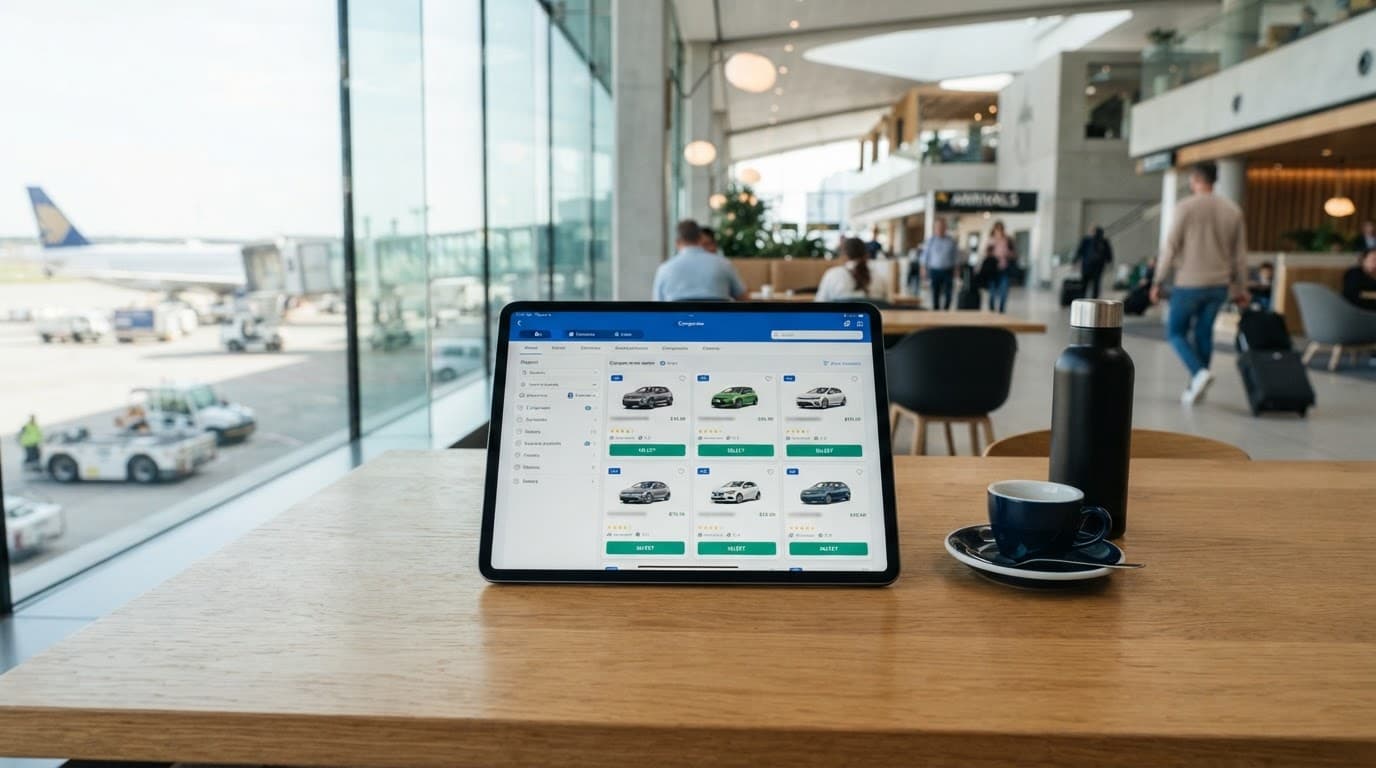
AI-generated image showing car hire comparison at an airport.
The vehicle category may not guarantee a particular make or model. A booking for an “economy” or “compact” car usually promises a category, with the actual vehicle decided by availability. Luggage space, boot design and automatic transmission can therefore differ from expectations.
Before collecting the vehicle, check the confirmation for mileage limits, additional-driver charges, young-driver fees, one-way costs, late-collection rules, cross-border restrictions, child-seat prices and damage exclusions. Collection instructions matter just as much as the price. At the desk or depot, photograph every existing mark, the fuel gauge, mileage and vehicle condition. This creates a clear record if a dispute later arises. A cheap quote is only good value when its terms work for the whole journey.
The Skyscanner App, Search Tools and the Case for Booking Online
Skyscanner brings together useful travel information before a booking is made. As a travel search engine, its app and website let travellers compare fares, dates, airports, accommodation and vehicle-rental options quickly. Filters remove choices that don’t suit the journey, while the app can also act as a travel planner before payment.
Saved searches and price alerts are useful for trips that aren’t fixed. Flexible-date searches can reveal cheaper departure days, while flexible-destination tools help identify affordable places when the destination matters less than the budget. Mobile access also makes it possible to check prices while travelling, although a fare notification or displayed price isn’t a guaranteed reservation.
Booking online provides wider choice, live availability, digital confirmation and faster access to cancellation and payment terms. However, convenience doesn’t remove the need for checks. Prices can change, add-ons may appear late in the process, and responsibility for customer service often sits with the airline, hotel or vehicle-rental provider rather than the platform.
How to Turn a Comparison Search Into a Sensible Booking
A sensible booking starts before the search. The traveller should set a realistic total budget, including baggage, transfers, insurance, deposits, local taxes and other unavoidable costs. That figure provides a useful boundary when a low headline price makes an expensive itinerary appear attractive.
Next, the search should remain broad. Several dates, nearby airports, vehicle categories or hotel areas can produce a clearer picture of value. Filters should then be applied only to genuine needs, such as direct flights, automatic transmission, step-free access or free cancellation. Too many filters can hide suitable options before the comparison is properly understood.
The final choice needs a complete-cost check. The provider’s page should confirm:
- The total amount, currency, taxes and additional charges.
- Baggage, fuel, mileage, deposit and insurance conditions.
- Cancellation, amendment, refund and no-show rules.
- The correct passenger, driver, dates, vehicle or room details.
- The provider’s name, contact information and collection or check-in instructions.

AI-generated image showing online travel planning before booking.
Payment should take place through the official Skyscanner platform or app, or the verified provider page reached from the search. The web address should be checked for spelling and secure payment indicators, especially after clicking an advert, email link or message. Unsolicited requests to transfer money should be treated as suspicious.
Once payment is complete, confirmation emails, invoices, policy documents and booking references should be saved in more than one place. Online selection improves access and comparison, but the responsibility for checking the purchase remains with the traveller. A polished search interface is useful evidence, not a substitute for reading the contract.
An Honest Skyscanner Review: What Stands Out, and Where It Falls Short
Skyscanner’s strongest feature is breadth. It brings flights, hotels and vehicle rental into one comparison process, then adds tools that help identify options a fixed search would overlook. That makes it particularly useful for flexible travellers and households watching the total holiday cost, including those looking for cheap flights without assuming the lowest fare is best.
The limitation is equally important: Skyscanner often directs users to a third-party booking provider. As part of Trip.com Group, the service acts as a search aggregator, bringing together offers from online travel agencies, including Booking.com, and other providers. Prices, availability, payment terms and customer support can change after the comparison page. The platform improves research, but travellers should still check each provider’s contract, including terms shown by easyJet, Ryanair or British Airways.
The Features Worth Trying, and the Ones That Need Caution
Flexible dates are among Skyscanner’s most useful tools. A calendar view can expose lower fares on nearby departure days, whilst nearby-airport searches may reveal alternatives to a preferred local airport. The destination discovery tool is also valuable when the destination is flexible, since it ranks possible trips by price rather than forcing a single route.
Price alerts offer a practical way to monitor a planned journey. They can highlight fare movements without requiring repeated searches, although an alert is not a price guarantee or a reservation. Seats may sell out before the booking is completed, and the fare may have strict baggage or change conditions.

AI-generated image illustrating flight comparison tools.
The features requiring more caution are usually the ones attached to the lowest headline prices:
- Very low flight fares may exclude baggage, seat selection and other costs. A cheap ticket can also involve inconvenient times or a long indirect route.
- Self-transfer itineraries can require separate tickets and baggage collection. If the first flight is delayed, the second booking may not be protected.
- Non-refundable hotel rates often cost less, but the saving disappears if plans change and no refund is available. A price-match option can provide a discount when an eligible cheaper rate is found, but the competing booking must usually match the room, dates, occupancy, taxes and cancellation terms.
- Vehicle-rental quotes can hide large excesses, security deposits, mileage limits and fuel charges. The daily rate matters less than the total payable amount and the money temporarily held on the driver’s card.
A fair comparison should therefore assess five points: total price, flexibility, reliability, support and protection. Skyscanner stands out for choice and discovery, whilst direct booking may suit travellers who need one point of contact, complex accessibility arrangements or clearer after-sales support. Its best tools reveal possibilities, but the final provider’s terms determine whether those possibilities offer genuine value.
Frequently Asked Questions
Skyscanner is useful for comparing travel options, but it isn’t the same as a single booking company. These answers address practical questions that can remain unclear after comparing flights, hotels and vehicle rental.

AI-generated image showing online travel planning.
Is Skyscanner free to use?
Yes. Travellers can search and compare flights, hotels and vehicle rental without paying Skyscanner a separate search fee. The booking provider may add charges, however, so check the final price after leaving the comparison results.
Does the platform guarantee the price shown in search results?
No. Prices depend on live availability and can change before the booking is completed. A fare may also change when seats sell, a room becomes unavailable or the provider recalculates taxes and charges.
The booking page is the final reference point. It should show the confirmed total, payment currency, baggage allowance, cancellation terms and any required deposit before payment is authorised.
Who handles a problem with a booking made through Skyscanner?
The airline, hotel provider, rental company or other booking partner normally handles changes, refunds, cancellations and service complaints. Skyscanner can help users find the relevant booking route, but it generally can’t change a third-party reservation or approve a refund on that provider’s behalf.
That distinction matters when choosing between a low-cost intermediary and a direct booking. A cheaper result may involve an extra layer of customer service if the itinerary changes.
Does Skyscanner show every available airline and hotel?
Skyscanner searches a broad range of travel companies, but no comparison service should be assumed to display every possible option. Some airlines, accommodation providers or rental companies may use different distribution arrangements, while availability can vary between search systems.
For important journeys, compare the result with the relevant provider’s own published offer. This can reveal differences in baggage, cancellation rights or payment conditions. The benefit is a wider starting point, not a guarantee of complete market coverage.
Can one Skyscanner search book a complete holiday?
Skyscanner can compare flights, hotels and vehicle rental, but these services are usually booked through separate providers. The traveller may receive different confirmations, payment schedules and cancellation rules for each part of the trip.
A combined search can help estimate the overall cost, yet it doesn’t create one protected package holiday contract. Separate bookings may also leave the traveller responsible for arranging replacements if a delay affects a later reservation.
Is the Skyscanner app worth using?
The app is most useful for travellers who monitor prices, compare flexible dates or check alternative airports while away from home. Fare notifications and saved searches can reduce repeated searching, although neither feature reserves a fare.
Its value is lower when plans are fixed and the preferred airline or hotel has already been identified. In that situation, the app may still provide a price reference, but the provider’s terms remain more important than the convenience of the comparison tool.
Who owns Skyscanner?
Skyscanner is owned by Trip.com Group, a global travel services company. The platform compares offers, while the relevant airline, hotel, rental company or booking partner normally controls the reservation.
Conclusion
Skyscanner is most valuable as a research and comparison tool, particularly for travellers who can adjust dates, airports or destinations. Comparing flight prices can reveal cheaper travel days and alternative routes, while car hire searches help assess vehicle categories, deposits, mileage limits and insurance conditions. Hotel searches add another useful feature through eligible price-match offers, which may provide a discount when a cheaper comparable rate is found.
Trip.com Group owns Skyscanner, which remains popular for its broad choice, flexible search tools and straightforward layout. Its must-have features include the flight comparison calendar, nearby-airport search, and hotel and vehicle rental filters. The “Everywhere” search and fare notifications are also worth trying when plans remain flexible. Buying online provides wider selection and makes it easier to compare the full cost before payment, although the provider’s booking page remains the final authority.
Skyscanner cannot remove the risks of changing fares, third-party terms or charges that appear later in the booking process. The quality of each result depends on checking baggage, cancellation rules, deposits, insurance, taxes and who handles support if plans change. Comparison services widen the view of the market, but informed value comes from understanding what is included, who is responsible and what happens when a booking no longer goes to plan.
Discover more Buyers Guides and Reviews
For a list of our main buyers guides use the drop-down menu at the top of the page. Topics related to this article are:
Skiing Holidays Booking Guides
–
Explore Our Blog Categories for Expert Buying Advice
- AI Powered Product Finder Tools (25)
- Expert Buying Guides & Shopping Tips for UK Shoppers (1,367)
- Brands & Designer Products (Men, Women & Electronics) (273)
- Designer Fashion Brands: Buyer’s Guides & Reviews (153)
- Electronic Brands: Buyers Guides & Reviews (86)
- Apple Products Buyer’s Guides & Reviews (24)
- Brands – Phones, Laptops, PC”s, Tablets | Buyer’s Guides & Reviews (42)
- Electronics – Tablet & iPad Reviews and Buyers Guides (11)
- Kitchen Appliance Brands: Buyer’s Guides & Reviews (22)
- Laptop Brands & MacBooks Buyer’s Guides & Reviews (9)
- Phone Brands & iPhones Buyer’s Guides & Reviews (23)
- Car Buying & Financing Made Easy | Expert Guides for the UK (89)
- Clothing, Fashion & Accessories Buying Guides UK (454)
- Beauty, Health & Wellness | Perfume, Skincare, Makeup & Wellbeing Guides (165)
- Footwear: Trainers & Shoes Buyers Guides (46)
- Jewellery: Expert Reviews, Trends & Buying Guides (71)
- Men's Clothes — Buyers Guides & Reviews (38)
- Men’s Clothes, Fashion & Accessories Guides UK | Latest Trends & Smart Shopping (156)
- Women's Clothing Buyers Guides — Dresses, Tops & More (173)
- Women’s Clothes, Fashion & Accessories Guides UK | Latest Trends & Smart Shopping (395)
- Electronics, Tech & Gadgets: Reviews, Deals & Buying Guides UK (170)
- Furniture Buyer’s Guides | Home & Garden & Styling Tips (313)
- Bedroom Furniture Guides UK | Expert Tips & Best Value Deals (91)
- Garden Furniture, Landscaping & Garden Rooms Guides UK | Expert Tips & Best Value Deals (158)
- Garden Sofa & Sofa Sets Buyers Guides (11)
- Garden Tables & Chairs: Sets, Individual Tables & Seating Buyers Guides (42)
- Home Furniture, Décor & Interior Design Guides UK | Styling Tips & Inspiration (167)
- Living Room Furniture, Design & Décor Guides UK | Styling Tips & Inspiration (57)
- Sofa & Sofa Beds Buyers Guides (19)
- Sofa Beds Buyers Guides (7)
- Sofa Buyers Guides & Expert Advice (11)
- Holidays & Travel: Hotels, Villas & Flights (158)
- Home & Garden Improvements | Renovations & Outdoor Transformation Guides (99)
- Insurance & Protection: Travel, Landlord, Gadget & More UK (159)
- Gadget Insurance UK | Expert Guides, Reviews & Smart Protection Tips (33)
- Home Emergency Cover UK | Expert Guides, Reviews & Practical Protection Tips (21)
- Landlords Insurance UK | Expert Guides, Reviews & Smart Protection Tips (31)
- Travel Insurance UK | Expert Guides, Reviews & Money-Saving Tips (34)
- Pets: Guides, Tips & Inspiration (26)
- Brands & Designer Products (Men, Women & Electronics) (273)
- Gifts for Everyone: Ideas for Every Occasion & Budget (45)