Choosing a tablet looks simple until the spec sheet starts to sprawl. In the UK, the Samsung Tablet remains a top choice because it pairs strong screens, familiar software, and solid build quality, cementing its place among the best Android tablets on the market today. From affordable family devices to high-end professional tools, there is a model for every need.
That popularity does not make every Galaxy Tab a smart buy. Screen size, battery life, storage, accessory support, and value still matter more than the badge on the back.
This guide takes a measured view. The best Samsung tablet depends on the job it needs to do.
Key Takeaways
- Match Specs to Needs: Avoid overspending on high-end power by identifying whether you require a tablet for simple media streaming, study, shared family use, or heavy creative work.
- Prioritise Essential Features: Beyond raw speed, focus on display quality, battery life, and physical weight, as these factors most significantly impact your daily satisfaction.
- Understand Model Variants: Samsung models often share names but vary in storage, RAM, and connectivity; always verify the exact configuration before purchasing to ensure it meets your requirements.
- Maximise Utility with Accessories: The S Pen and keyboard covers transform tablets into effective productivity tools, but they are only worth the investment if your workflow involves writing, editing, or design.
What Samsung does well in the tablet market
Samsung has stayed relevant because it treats tablets as a proper category, not a side project. That matters in the world of Android tablets, where some rivals appear, briefly flourish, and then leave thin update support behind. A Samsung Tablet range has clearer steps in price and quality, so buyers can usually find a model that fits the task.
For video streaming, reading, schoolwork, and light office use, three strengths stand out: the screens are often better than rivals at the same price, the software is more useful than flashy, and the line-up covers more budgets.
Display quality that makes films, games, and reading feel better
Samsung’s reputation starts with the screen. Higher-end models often use a Dynamic AMOLED 2X display, which provides deeper blacks, stronger contrast, and richer colours. When combined with a high screen resolution, films look better, dark scenes keep more detail, and comics or glossy magazines have more visual punch.
Lower-priced models usually use LCD. That is less dramatic, but it can still be sharp and bright enough for daily use. Text clarity matters as much as colour. A crisp panel is easier on the eyes during long reading sessions, and brightness helps when the device is used near a window or on a train.
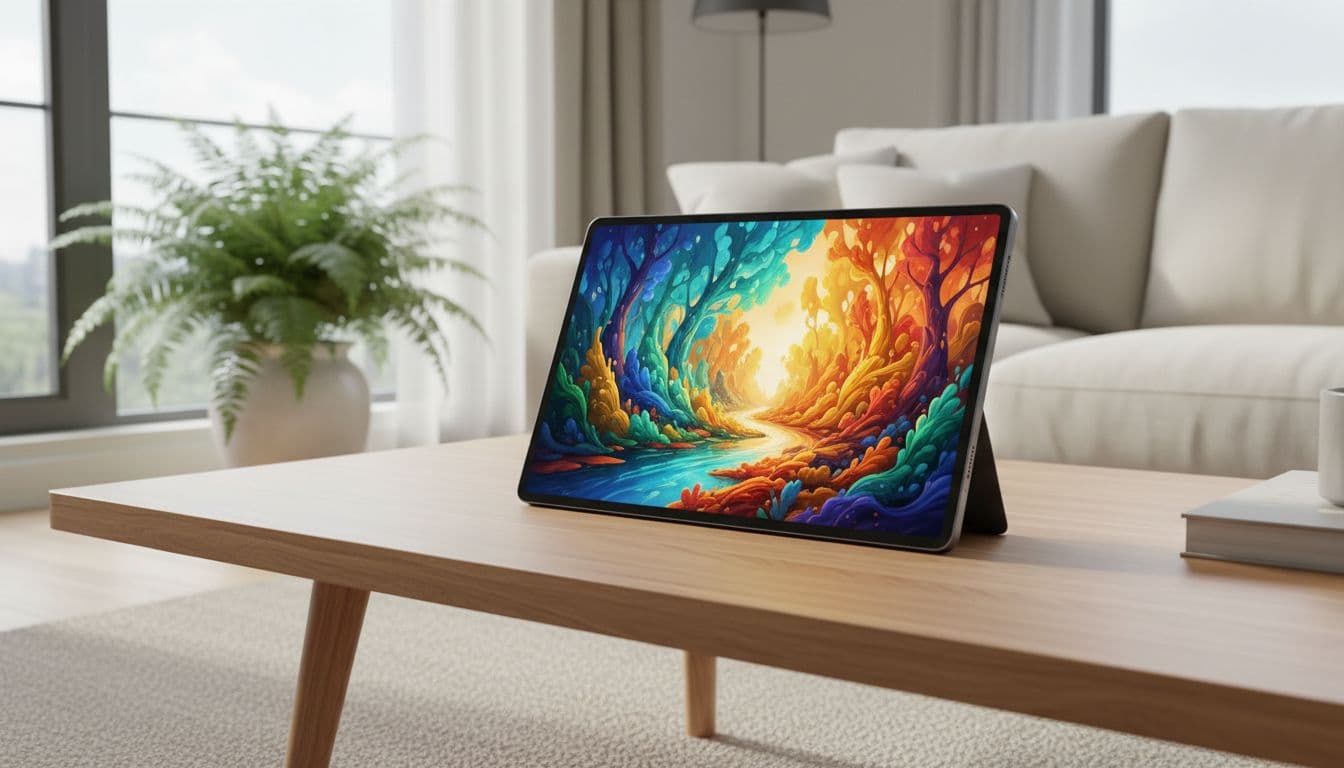
AI-generated image showing the kind of living-room use where a bright, sharp display matters.
Software features that make everyday use easier
Samsung’s tablet software works best when it stays out of the way. Multi Window mode lets two apps run side by side, which helps with note-taking, web research, messaging, or comparing documents. Pop-up windows can be handy too, especially for quick replies without leaving the main task.
Recent updates have introduced powerful Galaxy AI features, which assist with tasks like summarising notes or editing photos on the go. On supported models, Samsung DeX adds a desktop-style layout that makes more sense with a keyboard and trackpad. It is still a tablet, not a full laptop replacement, but it suits email, document work, and browser-heavy days. Meanwhile, the Android app library remains a major advantage for media, reading, cloud storage, productivity, and children’s apps.
A range that covers budget, mid-range, and premium buyers
Samsung’s breadth is part of the appeal. At the lower end, there are tablets built for general household use. Mid-range models tend to improve speed, add Quad Speakers for immersive audio, and use more durable materials. Premium versions add faster chips, better stylus support, larger displays, and features aimed at work or creative use.
That structure helps buyers avoid paying for power they will not use. A sofa tablet for catch-up TV does not need the same hardware as a large-screen device meant for sketching, lectures, or long sessions in DeX.
How to choose the right Samsung tablet for the job
The sensible way to compare Samsung tablets is to start with how you plan to use it, then read the technical specifications. Model names alone do not tell the full story, as storage capacity, memory, and screen size can vary significantly within the same family. Online comparison pages are useful here because they show those trims side by side.
This quick guide helps frame the choice:
| Main use | Best size | Sensible spec | Extras worth having |
|---|---|---|---|
| Relaxed media | 8 to 11in | 64GB, modest processor | Protective case |
| Study or office | 11 to 12in | 128GB, 6GB RAM | Keyboard cover |
| Shared home use | 10 to 11in | 128GB, good battery | Rugged case |
| Creative work | 12in+ | 256GB, 8GB RAM | S Pen stylus |
The point is simple: the spec should match the workload.
The most expensive Samsung Galaxy Tab often buys power that casual users will not notice. Weight, battery life, and accessories shape daily satisfaction more quickly.
Screen size and weight: matching the tablet to daily habits
Smaller tablets are easier to carry, hold on the sofa, or use one-handed on a commute. They suit reading, browsing, and casual video well. Larger models feel better for films, split-screen apps, and typing, but they can be tiring to hold for long periods.
For those seeking a tablet for productivity, a bigger display often earns its place. For travel or children, lighter weight can matter more than screen space. That trade-off is easy to miss when shopping online, so dimensions and screen size deserve a close look.

AI-generated image showing a tablet set up for study or light office work.
Performance and storage: what matters for speed and longevity
Processor power matters most for gaming, heavy multitasking, drawing apps, and longer-term use. High-end chips like the Snapdragon 8 Gen 2 offer excellent performance for demanding tasks. For web browsing, streaming, reading, and light admin, a modest chip is often enough. More RAM helps when several apps stay open at once.
Storage capacity needs more attention than many buyers expect. A base 64GB model can fill up quickly once apps, downloads, and offline video pile in. Many models support a MicroSD card, which provides convenient expandable storage for media and documents.
Battery life, charging, and real-world use
Battery life claims on product pages rarely match normal daily usage. Continuous video at low brightness is not the same as video calls, web tabs, note-taking, and constant syncing. Students, commuters, and travellers usually benefit more from reliable battery life than from headline chip speed.
Fast Charging matters too, but only in context. It is incredibly useful if the tablet often runs low between classes or meetings. However, the right charger may cost extra, and charging speed will not fix weak endurance. If you are frequently away from Wi-Fi, you might also consider a model with 5G connectivity to stay online anywhere.
S Pen, keyboard covers, and accessories worth paying for
The S Pen stylus is one of Samsung’s clearest strengths, but only for the right person. It adds real value for handwritten notes, drawing, annotating PDFs, and marking documents. For casual streaming, it may spend most of its life in a drawer.
A keyboard cover is highly recommended if you intend to use your device as a portable computer for longer writing, emails, and document edits. They make sense for students and light office work, especially on 11in tablets and above. A plain protective case is the accessory most people should buy first, because drops are cheaper to prevent than to repair.
Which Samsung tablet suits different types of buyer
The best Samsung Galaxy Tab is not one single device. It shifts with the setting, the workload, and the budget.
Best for streaming, reading, and casual everyday use
For relaxed use, screen comfort and speaker quality matter more than peak speed. A mid-sized tablet is often the sweet spot because it feels large enough for films but light enough for browsing in bed or on the train. Video streaming and decent storage also matter, especially for downloaded episodes and apps.
Premium extras have less value here. A bright display, reliable battery, and sensible price usually beat top-tier power.
Best for students and light productivity
Students need portability, strong battery life, and support for notes and documents. The Samsung Fan Edition range is often the right balance, as it slips into a bag, lasts through lectures, and works well with a pen or keyboard. Split-screen functionality also helps, because research and note-taking often happen at the same time.
Raw power matters less than consistency. Smooth everyday performance and enough storage for files often make the better long-term buy.
Best for families and shared household use
Shared tablets face a different test. The Galaxy A series is a fantastic choice here, as it provides enough storage for mixed apps, downloaded video, and school platforms at a sensible price point. These devices also benefit from a size that suits several hands, plus a case that can survive drops and kitchen-table life.
Samsung’s broad app support helps here, because one device may need streaming apps, reading apps, games, video calling, and homework tools. Parental controls and user separation are worth checking before purchase.
Best for creative work and serious multitasking
Higher-spec tablets start to make sense when drawing, photo editing, large documents, and heavy split-screen use become routine. A device like the Galaxy Tab S9 Ultra is the pinnacle for this work, where a strong display ensures that colour, contrast, and pen feel shape the whole experience. More RAM and storage also help keep demanding apps responsive, which is essential if you are looking for high-performance gaming tablets.
This is also where DeX and keyboard support become more than a novelty. For some users, these features turn a tablet into a workable travel machine for real productivity. If you find the cost of a premium model difficult to justify, remember that many retailers allow you to trade in device hardware to lower the upfront cost.
Buying online without missing the details that matter
Online shopping usually offers the widest choice for anyone looking to purchase a new Samsung Galaxy Tab. It also makes price comparison easier, which matters because the same tablet name can hide different storage, memory, or connectivity options. For UK buyers, that wider view often gives a clearer sense of value than a single in-store display.
How to compare Samsung tablets properly online
The key is to compare like with like. Screen size, chipset, RAM, storage, battery capacity, and included accessories all matter. A cheaper listing may look identical in the photo but ship with less memory, less storage, or no stylus.
Appearance can mislead. So can model names. Before judging value, the full spec sheet needs to match across both products.
Why online prices can be better, and where buyers should still be careful
Online listings make it easier to spot discounts, bundles, and older stock that still offers good value. There is also a wider spread of colours, trims, and connectivity options than many shops carry on the shelf. For buyers with a clear target, that helps.
The risks are familiar. Some bundles pad the price with cheap extras. Some low prices apply to the Wi-Fi version when 5G connectivity was expected. Delivery dates, stock status, and warranty terms also deserve a hard look.
What to check before checkout
A short pre-purchase check can prevent most of the common mistakes:
- Confirm the storage size and RAM, not only the model family.
- Check whether the device is Wi-Fi only or supports 5G connectivity.
- Verify if the S Pen stylus is included in the box, alongside any chargers or keyboards.
- Check that your new device supports Samsung Smart Switch to make migrating data from an old device simple.
- Verify UK warranty cover and return terms.
- Read the dimensions and weight, especially for cases and bags.
- Check charger compatibility and delivery timing.
Those details often matter more than a small price gap.
Frequently Asked Questions
Is the S Pen included with every Samsung Galaxy Tab?
Not every model includes the S Pen in the box. While premium versions typically bundle it, some mid-range or budget models require you to purchase it separately, so always check the retailer’s contents list.
Can a Samsung tablet replace my laptop?
For light tasks like email, document editing, and web browsing, features like Samsung DeX make a tablet a capable laptop alternative. However, for complex professional software or heavy multitasking, a full desktop computer or laptop may still be necessary.
Does the tablet support expandable storage?
Many Samsung Galaxy Tab models feature a MicroSD card slot, allowing you to easily increase your storage capacity for media and documents. You should check the specific model specifications before buying, as some ultra-slim or entry-level tablets may lack this feature.
What is the advantage of Samsung DeX?
Samsung DeX creates a desktop-style user interface that makes managing multiple windows and apps much more efficient. It is particularly useful when you connect a physical keyboard and mouse, turning your tablet into a more traditional workstation.
Final thoughts
Samsung remains a strong tablet maker because it combines excellent displays, flexible Android features, and a wide spread of prices and sizes. That mix explains why the brand stays so visible in the UK, whether you are using a device for casual media consumption, schoolwork, commuting, or more demanding creative tasks.
The strongest choice is rarely the model with the biggest screen or the fastest chip. The best Samsung tablet is simply the one that fits your specific needs, and the main advantage of the range is that it makes finding that perfect match possible. Looking ahead, the current Galaxy Tab S10 series offers incredible performance for power users, while rumours surrounding the upcoming Galaxy Tab S11 Ultra suggest even greater leaps in productivity and display technology. Ultimately, whether you are buying for work or play, the Samsung Galaxy Tab remains a reliable, versatile choice for any buyer in the UK.
Explore our Buyers Guides and Reviews
For a list of our main buyers guides use the drop-down menu at the top of the page. Topics related to this article are:
Kitchen Appliances Buyers Guides
–
Explore Our Blog Categories for Expert Buying Advice
- AI Powered Product Finder Tools (26)
- Expert Buying Guides & Shopping Tips for UK Shoppers (1,352)
- Brands & Designer Products (Men, Women & Electronics) (270)
- Designer Fashion Brands: Buyer’s Guides & Reviews (151)
- Electronic Brands: Buyers Guides & Reviews (85)
- Apple Products Buyer’s Guides & Reviews (23)
- Brands – Phones, Laptops, PC”s, Tablets | Buyer’s Guides & Reviews (41)
- Electronics – Tablet & iPad Reviews and Buyers Guides (11)
- Kitchen Appliance Brands: Buyer’s Guides & Reviews (22)
- Laptop Brands & MacBooks Buyer’s Guides & Reviews (9)
- Phone Brands & iPhones Buyer’s Guides & Reviews (22)
- Car Buying & Financing Made Easy | Expert Guides for the UK (89)
- Clothing, Fashion & Accessories Buying Guides UK (447)
- Beauty, Health & Wellness | Perfume, Skincare, Makeup & Wellbeing Guides (163)
- Footwear: Trainers & Shoes Buyers Guides (46)
- Jewellery: Expert Reviews, Trends & Buying Guides (71)
- Men's Clothes — Buyers Guides & Reviews (38)
- Men’s Clothes, Fashion & Accessories Guides UK | Latest Trends & Smart Shopping (155)
- Women's Clothing Buyers Guides — Dresses, Tops & More (170)
- Women’s Clothes, Fashion & Accessories Guides UK | Latest Trends & Smart Shopping (389)
- Electronics, Tech & Gadgets: Reviews, Deals & Buying Guides UK (169)
- Furniture Buyer’s Guides | Home & Garden & Styling Tips (310)
- Bedroom Furniture Guides UK | Expert Tips & Best Value Deals (91)
- Garden Furniture, Landscaping & Garden Rooms Guides UK | Expert Tips & Best Value Deals (156)
- Garden Sofa & Sofa Sets Buyers Guides (10)
- Garden Tables & Chairs: Sets, Individual Tables & Seating Buyers Guides (39)
- Home Furniture, Décor & Interior Design Guides UK | Styling Tips & Inspiration (166)
- Living Room Furniture, Design & Décor Guides UK | Styling Tips & Inspiration (56)
- Sofa & Sofa Beds Buyers Guides (18)
- Sofa Beds Buyers Guides (7)
- Sofa Buyers Guides & Expert Advice (10)
- Holidays & Travel: Hotels, Villas & Flights (157)
- Home & Garden Improvements | Renovations & Outdoor Transformation Guides (99)
- Insurance & Protection: Travel, Landlord, Gadget & More UK (159)
- Gadget Insurance UK | Expert Guides, Reviews & Smart Protection Tips (33)
- Home Emergency Cover UK | Expert Guides, Reviews & Practical Protection Tips (21)
- Landlords Insurance UK | Expert Guides, Reviews & Smart Protection Tips (31)
- Travel Insurance UK | Expert Guides, Reviews & Money-Saving Tips (34)
- Pets: Guides, Tips & Inspiration (26)
- Brands & Designer Products (Men, Women & Electronics) (270)
- Gifts for Everyone: Ideas for Every Occasion & Budget (42)